Quick tipHidden trickContent Hub

Turn off automatic image resizing

Add ?noresize to the image URL.

Subscription
All tiers
Permissions
Content edit access
Time
2 min · Intermediate
Last verified

Short answer

HubSpot's KB: images on HubSpot-hosted content are resized by default to fit the screen, which can cut load time and help PageSpeed. Images with height and width attributes in <img> tags are resized. Add ?noresize to the image URL to turn it off for that image.

1. In HubSpot

The relevant screen in my demo portal.
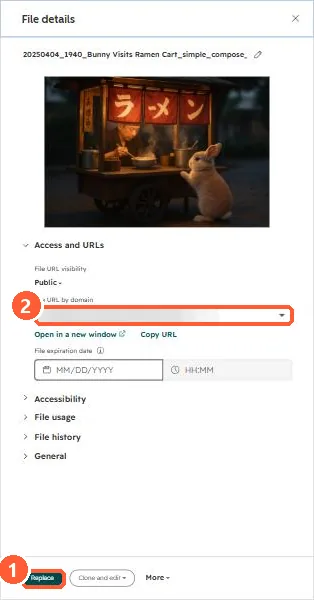
File details panel with the file URL and Replace button
Replace (1) and the file URL (2).

2. Worth knowing

Only turn it off for images that look wrong; resizing helps speed.

3. Related

Page speed.

Sources

New field notes by email

One email when a new article publishes.

Still stuck?

If this did not fix it, the problem is probably specific to your setup. Book a call and we will look at it together.

Book a call with Sam