Quick tipHow toMarketing Hub

Show your logo in inboxes with BIMI

No guarantee providers display it.

Subscription
All tiers
Permissions
DNS access
Time
2 min · Advanced
Last verified

Short answer

HubSpot's KB: BIMI displays your logo in supporting inboxes. The logo must be an SVG Tiny PS file on a public URL. A correct record doesn't guarantee display.

1. In HubSpot

The relevant screen in my demo portal.
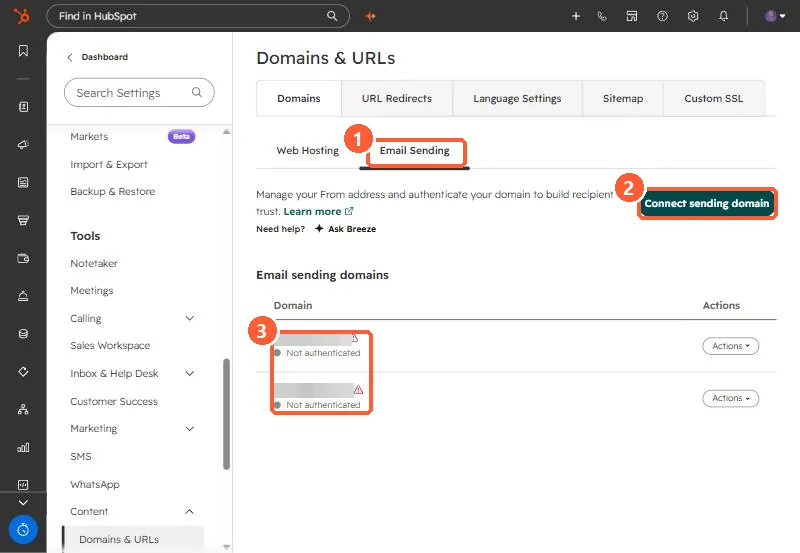
Domains and URLs Email Sending tab with Connect sending domain button and two domains not authenticated
Email Sending (1), Connect sending domain (2), and the status (3).

2. Worth knowing

Set up email authentication before adding BIMI.

3. Related

DMARC.

Sources

New field notes by email

One email when a new article publishes.

Still stuck?

If this did not fix it, the problem is probably specific to your setup. Book a call and we will look at it together.

Book a call with Sam