Short answer
Filter the Companies list to companies with no owner, match your owner file to them through a unique key such as a customer number, and import the unowned ones with Record ID and Company owner mapped. Owner values must be existing HubSpot users, so accounts whose salesperson has no seat stay unowned until you add them. For a manufacturing client I set owners on about 1,300 companies this way without changing any that already had one.
1. See how many companies have no owner
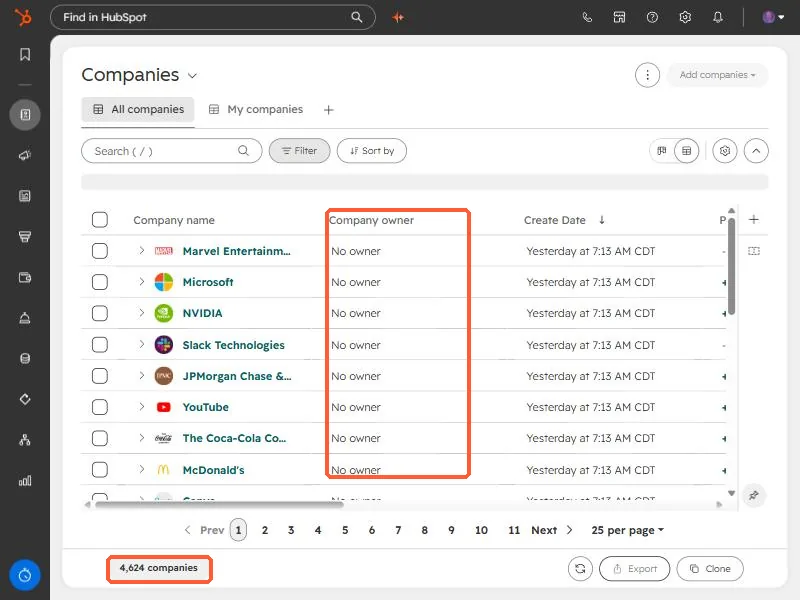
In Companies, the Company owner column shows No owner. In this demo portal every company is in that state, 4,624 of them. In a real portal, filter on Company owner is unknown so the count is only the work you mean to do.
2. Match the file to companies
The client's file listed a salesperson on each business partner row. The partner number was stored in a HubSpot property, so I matched on that, not on names. Whatever your key is, it must be unique on both sides. Add the HubSpot Record ID to each matched row.
- Drop rows with no salesperson and rows with typos in the owner email.
- Keep only companies that currently have no owner, so the import never overwrites a human decision.
- Owners must exist as HubSpot users. In my case four salespeople had no HubSpot seat, which left about 140 companies unowned. Put those names in a text property, or add the users, then run a second pass.
3. Import it
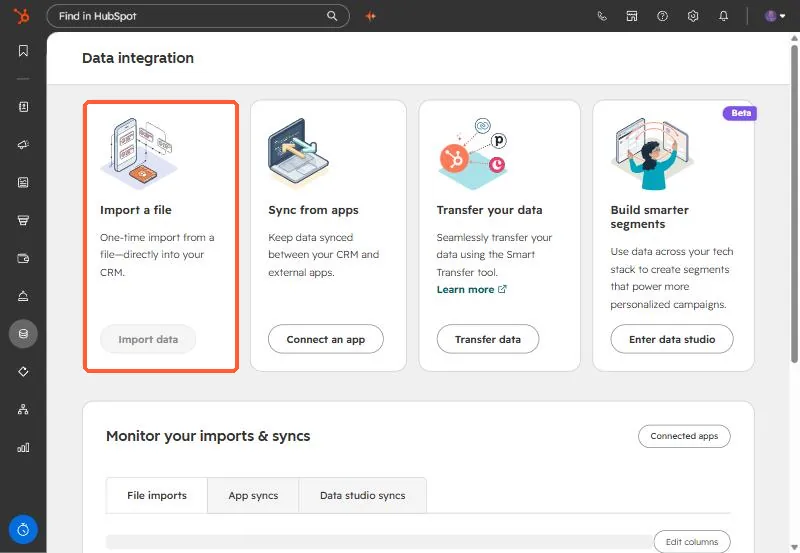
Open Data integration, choose Import a file, one file, one object (Companies), and map Record ID and Company owner.
4. Verify the result
Open the import to see rows, new records and updated records. For an update-only job, new records should be zero. If it is not, the file had rows without a Record ID. The uploader name is blurred below.
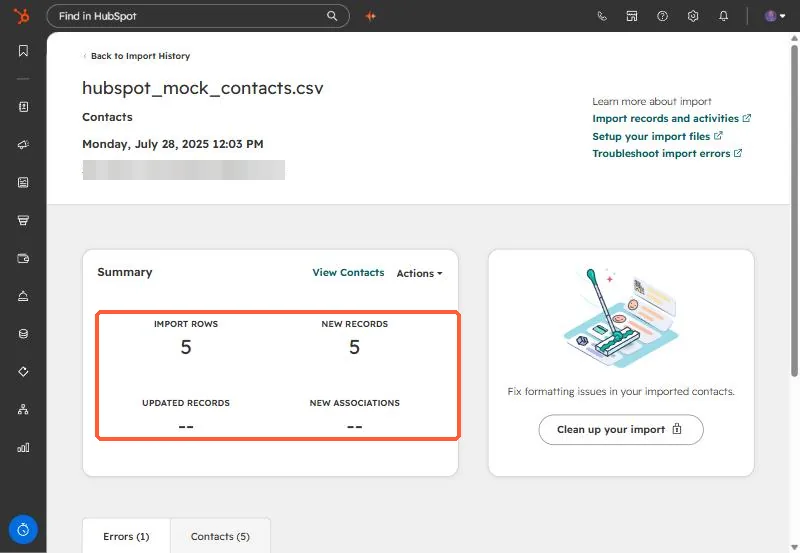
Then re-filter Companies by owner is unknown and compare to your expected leftover count.