Short answer
Create a property with field type Calculation, choose Custom equation, set the output type and format, and write the formula using the editor's Functions and Properties menus. The API can create them too, with field type calculation_equation and a type of number, bool, string or enumeration. Calculation properties need a Professional or Enterprise subscription.
1. The field type
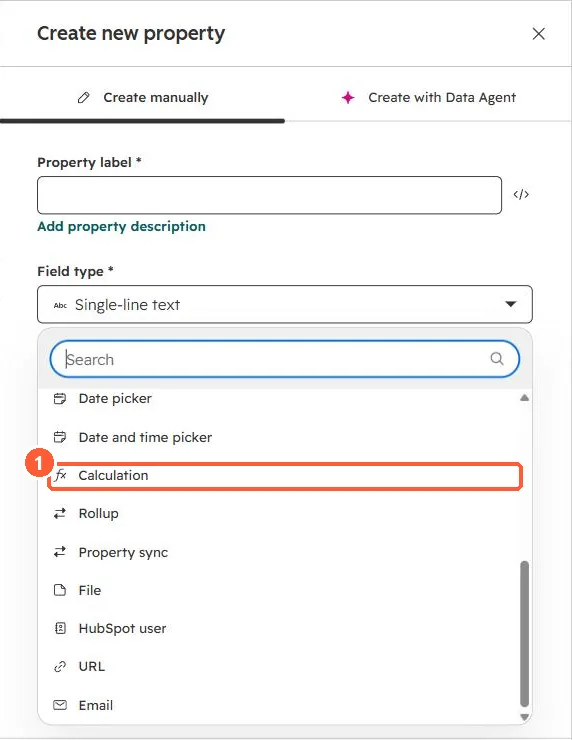
The create property panel in my demo portal lists Calculation next to Rollup and Property sync.
2. The equation editor
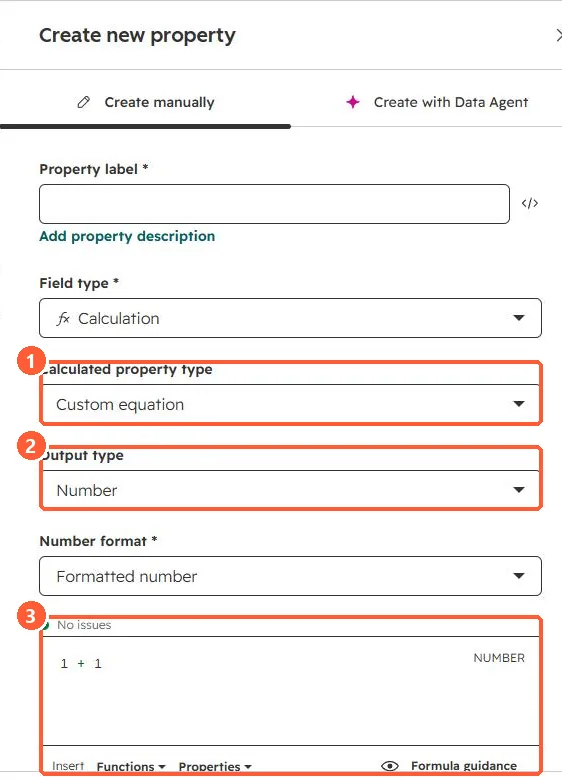
Choosing Calculation shows the calculated property type, output type, number format, and a formula box with a live issue check. I did not save it.
3. Good uses
- Margins, ratios and per-unit values from existing number fields.
- Time between two dates, such as days from create to close.
- For values from associated records, use a rollup. See rollup properties.