Short answer
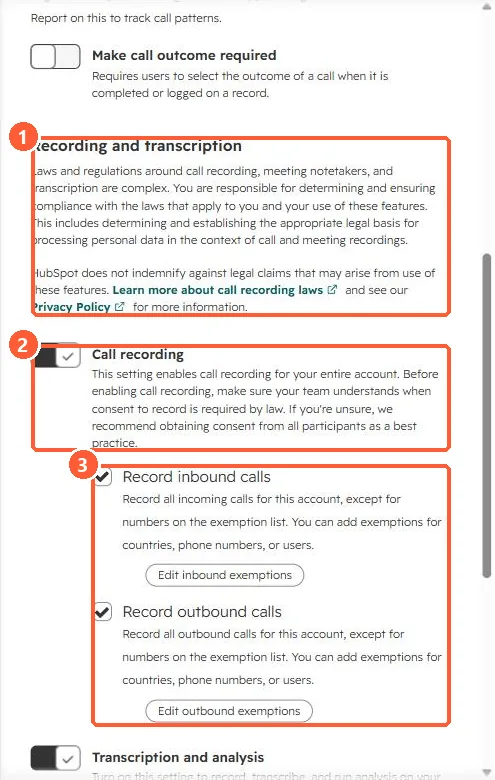
HubSpot's KB says recording and transcription are on by default, so all inbound and outbound calls are recorded unless you turn recording off or add exceptions, and it is your users' responsibility to get consent. In Settings > Calling > Call Configurations, Call recording has Record inbound calls and Record outbound calls, each with exemptions by country, phone number or user.
1. The settings
My demo portal has call recording and transcription switched on.
2. Transcripts
Conversation Intelligence transcribes calls for users with a Sales or Service seat.
3. Related
Teams phone recordings and notetaker settings.