Quick tipHow toContent HubMarketing Hub

Clone a page, post or email

AI cloning needs Breeze access turned on.

Subscription
All tiers; AI generation Content Hub Professional+
Permissions
Content edit
Time
2 min · Beginner
Last verified

Short answer

HubSpot's KB: hover over content and click Clone to start from an existing blog post, email or page. Templates, themes and modules clone in the design manager. Using AI needs Breeze Assistant access turned on, and generating landing page content needs Content Hub Professional or Enterprise.

1. In HubSpot

The relevant screen in my demo portal.
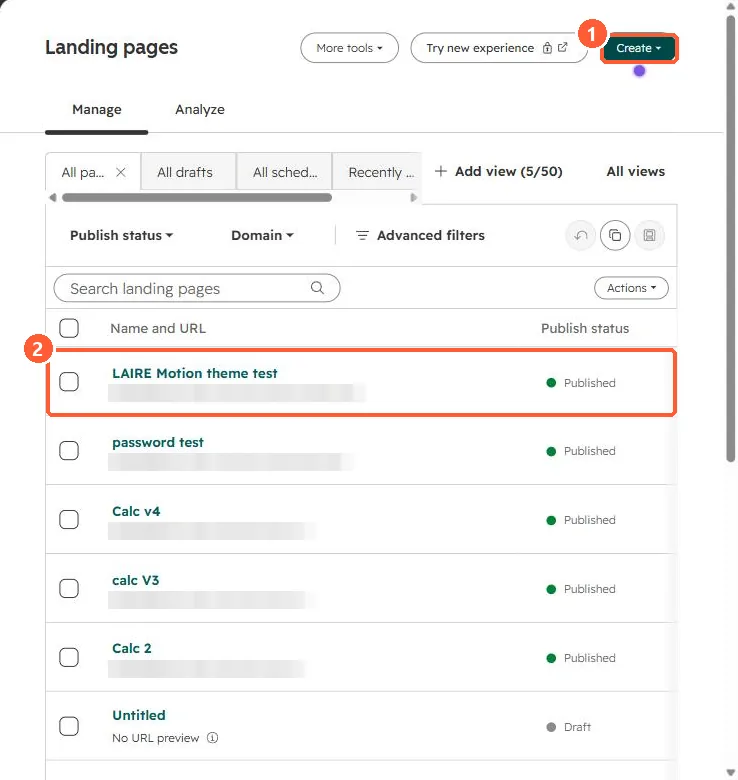
Landing pages list with Create button and published pages
Create (1) and a page (2).

2. Worth knowing

Update the URL and SEO fields on clones before publishing.

3. Related

Location landing pages and landing page tests.

Sources

New field notes by email

One email when a new article publishes.

Still stuck?

If this did not fix it, the problem is probably specific to your setup. Book a call and we will look at it together.

Book a call with Sam