Quick tipHow toSmart CRMSales Hub

See a contact's time zone before you call

Two properties, one you set and one HubSpot sets.

Subscription
All tiers
Permissions
Any user
Time
3 min · Beginner
Last verified

Short answer

HubSpot's KB: Time zone is set manually from fixed options that don't update for daylight saving, so some zones are an hour off part of the year. IP time zone is set automatically from the contact's IP address and can be used for segmentation and reporting. Show both on the record so reps see them before calling.

1. The property

Contact properties in my demo portal: Time Zone is a dropdown select.
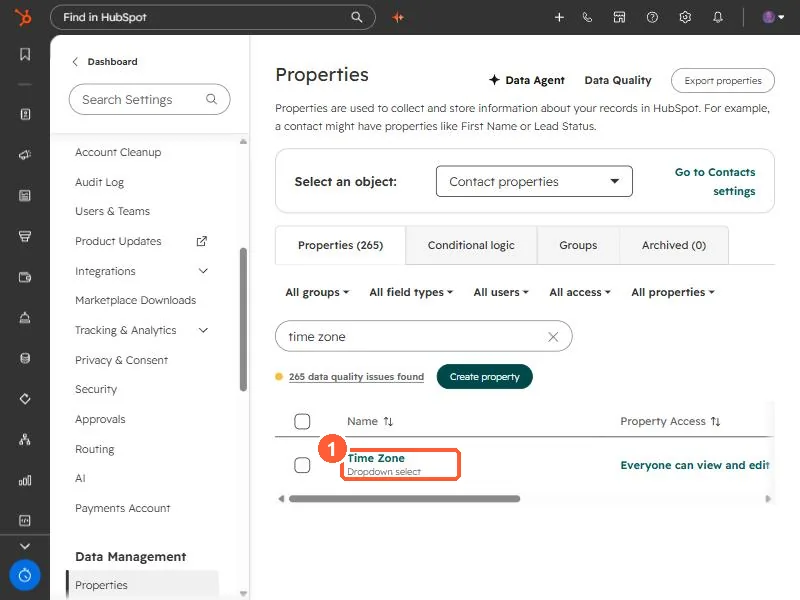
Contact properties filtered to time zone showing Time Zone as a dropdown select
Time Zone (1).

2. Use it

  • Add Time zone to the calling view.
  • Schedule marketing emails by recipient time zone where your tier allows.

3. Related

Account time zone.

Sources

New field notes by email

One email when a new article publishes.

Still stuck?

If this did not fix it, the problem is probably specific to your setup. Book a call and we will look at it together.

Book a call with Sam