Short answer
Create a custom object when you need records and relationships the standard objects cannot hold, such as many of a thing per company with their own properties and pipeline. HubSpot's KB example points the other way for people: rather than separate Parent and Teacher objects, keep everyone in Contacts with a Contact type property. Creating custom objects needs an Enterprise subscription. They can be created in the data model or through the schemas API.
1. Start from the data model
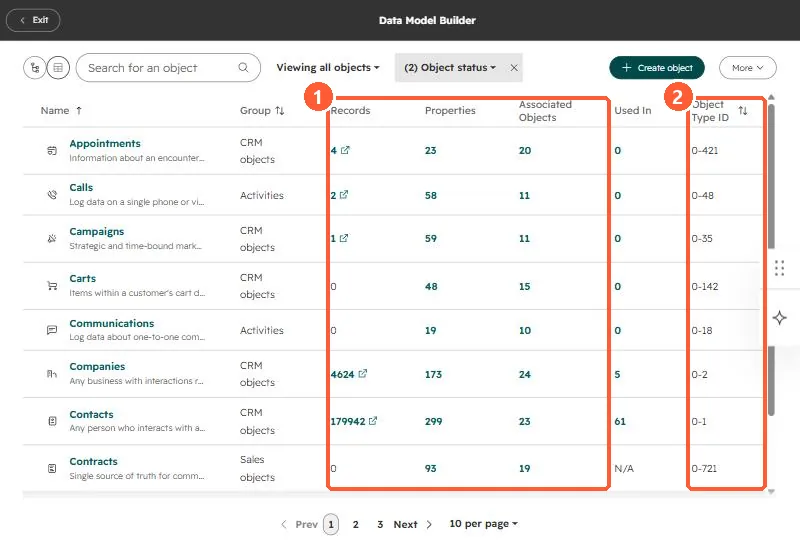
The data model builder in my demo portal lists each object's records, properties and associations, and its object type ID.
2. Signs you need one
- Many of the thing per contact or company, each with its own values (contracts, locations, equipment).
- It moves through its own stages.
- You need to report on it as its own unit.
3. Signs you do not
- It is a kind of person or company: use a property.
- There is one per record: use a property or property group.
More on the builder in the data model builder, and object IDs in object type IDs.