Short answer
Default lifecycle stages: Subscriber, Lead, Marketing Qualified Lead, Sales Qualified Lead, Opportunity, Customer, Evangelist, Other. Default lead statuses: New, Open, In Progress, Open Deal, Unqualified, Attempted to Contact, Connected, Bad Timing. Default Sales Pipeline: Appointment Scheduled, Qualified To Buy, Presentation Scheduled, Decision Maker Bought-In, Contract Sent, Closed Won, Closed Lost. Internal names are below, because imports and APIs need them, not the labels.
1. Lifecycle stages
Open Contact properties, search for Lifecycle Stage, and open the Field type tab. HubSpot's default options, in order, with their internal names:
- Subscriber (
subscriber) - Lead (
lead) - Marketing Qualified Lead (
marketingqualifiedlead) - Sales Qualified Lead (
salesqualifiedlead) - Opportunity (
opportunity) - Customer (
customer) - Evangelist (
evangelist) - Other (
other)
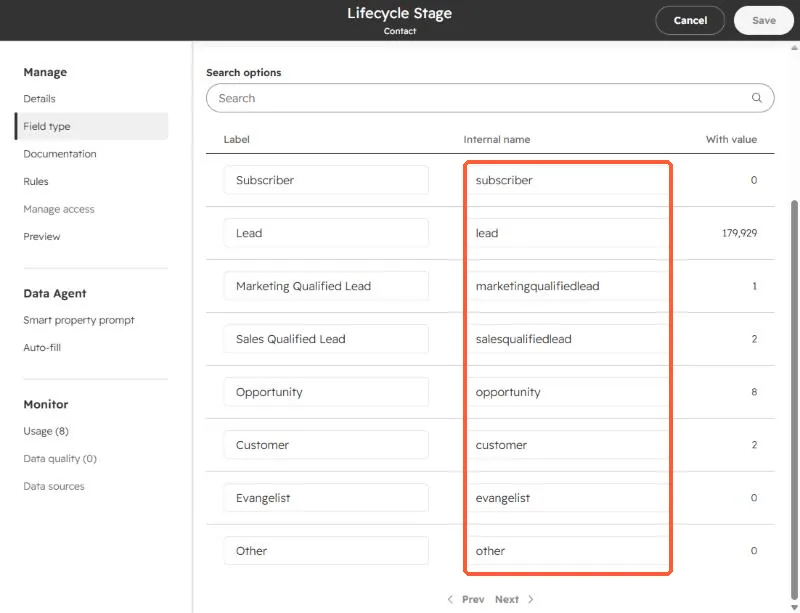
Workflows, forms, and API calls use the internal value. The label "Sales Qualified Lead" and the value salesqualifiedlead are not the same string in code.
2. Lead status
Lead Status is a separate contact property. In the default setup the options are New (NEW), Open (OPEN), In Progress (IN_PROGRESS), Open Deal (OPEN_DEAL), Unqualified (UNQUALIFIED), Attempted to Contact (ATTEMPTED_TO_CONTACT), Connected (CONNECTED), and Bad Timing (BAD_TIMING). Many portals edit these, so check yours before copying a list.
3. The default Sales Pipeline
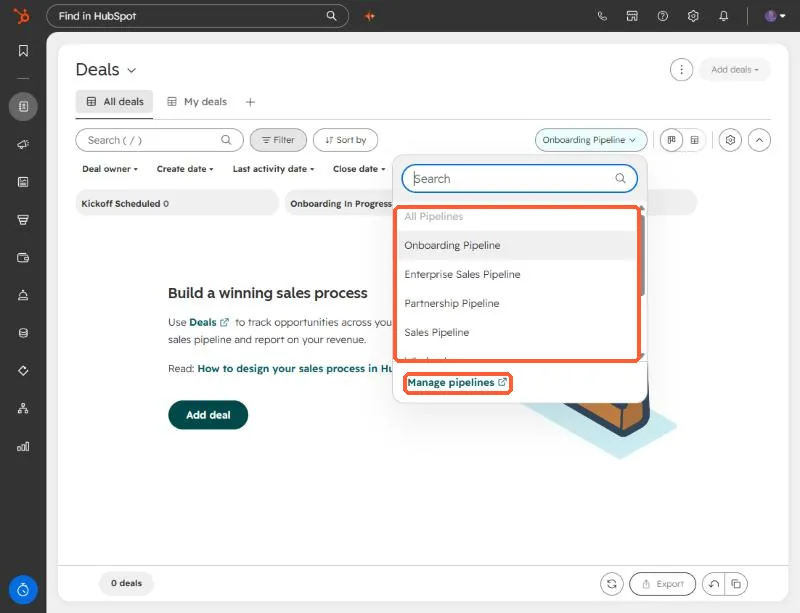
On the Deals page, the pipeline picker lists every pipeline in the account. The default one is called Sales Pipeline. Manage pipelines at the bottom of the list opens the settings page.
Choosing Sales Pipeline shows its seven stages as columns on the board.
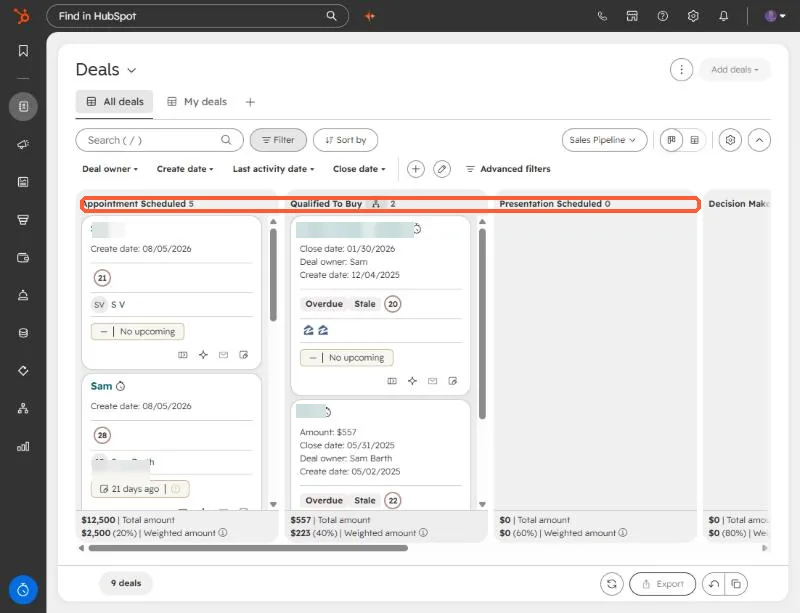
The stages, in order, with their internal IDs and default win probabilities:
- Appointment Scheduled (
appointmentscheduled, 20%) - Qualified To Buy (
qualifiedtobuy, 40%) - Presentation Scheduled (
presentationscheduled, 60%) - Decision Maker Bought-In (
decisionmakerboughtin, 80%) - Contract Sent (
contractsent, 90%) - Closed Won (
closedwon, 100%) - Closed Lost (
closedlost, 0%)
Custom pipelines you create get numeric stage IDs instead, so look them up before you import deals into them.