Quick tipHow toContent Hub

Export your website pages and blog posts

Actions, Export all pages and blog posts (HTML).

Subscription
All CMS tiers; some data exports need Professional
Permissions
Super Admin or Publish permission
Time
3 min · Beginner
Last verified

Short answer

HubSpot's KB: export HTML files for pages, blog posts and templates to move content to another platform. Click Actions > Export all pages and blog posts (HTML); it needs Super Admin or Publish permission. Exporting knowledge base articles needs Service Hub Professional or Enterprise, and unsummarized page data needs Marketing or Content Hub Professional or Enterprise.

1. Pages

Website pages in my demo portal.
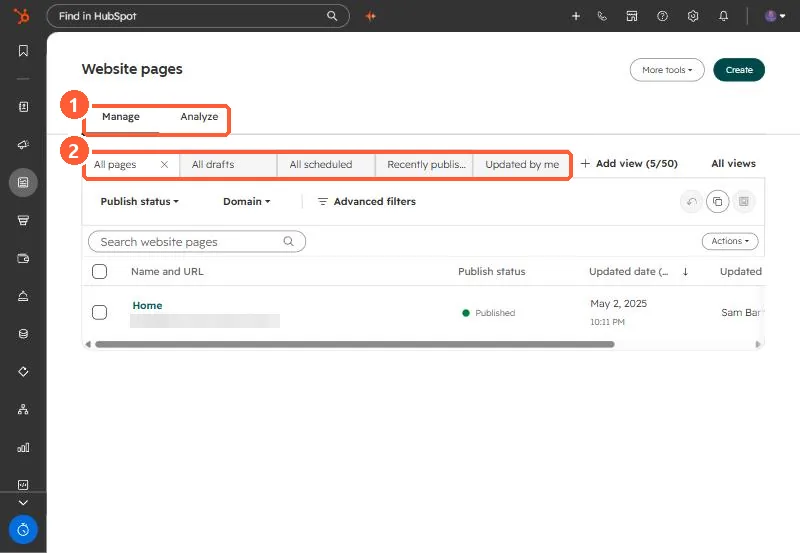
Website pages list with Manage and Analyze tabs, saved views, publish status and domain filters
Manage and Analyze tabs (1) and saved views (2).

2. Redirects

Plan redirects before moving. See URL redirects.

3. Related

Importing a blog.

Sources

New field notes by email

One email when a new article publishes.

Still stuck?

If this did not fix it, the problem is probably specific to your setup. Book a call and we will look at it together.

Book a call with Sam