Short answer
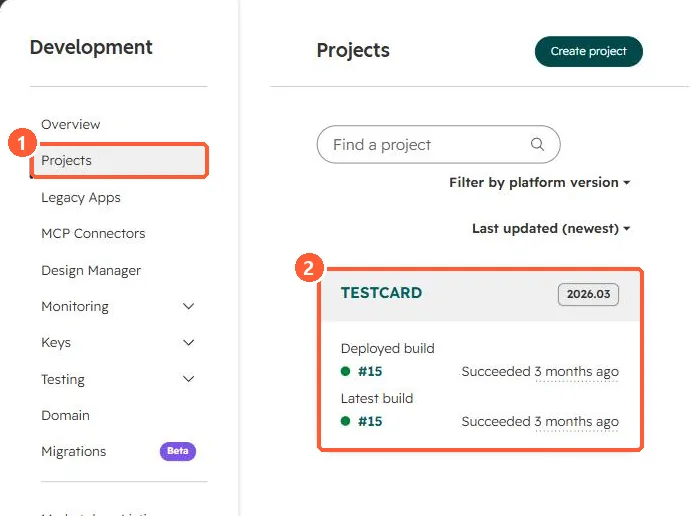
hs project upload uploads the local project and triggers a new build in the target account. Use --account to pick production, a sandbox or a test account. Builds and the deployed build appear under Development, Projects. HubSpot's developer MCP server can also validate and upload a project.
1. The commands
npm install -g @hubspot/cli
hs account auth
hs project create
hs project upload --account=sandbox
hs project list-builds
2. Where builds show
Development, Projects in my demo portal lists a test project on platform version 2026.03 with its deployed and latest build.
3. Related
Test safely first in sandboxes and test accounts. An example project: a UI extension card.