Short answer
In Settings, AI, the AI Access page applies to everyone. Give users access to generative AI tools and features is the main switch. Below it, separate toggles allow access to CRM data, customer conversation data (call transcripts, emails, chats), and files data. Then Give users access to Breeze Assistant. The page says data will not be used for model training by HubSpot's AI providers. All are on in my demo.
1. The AI Access page
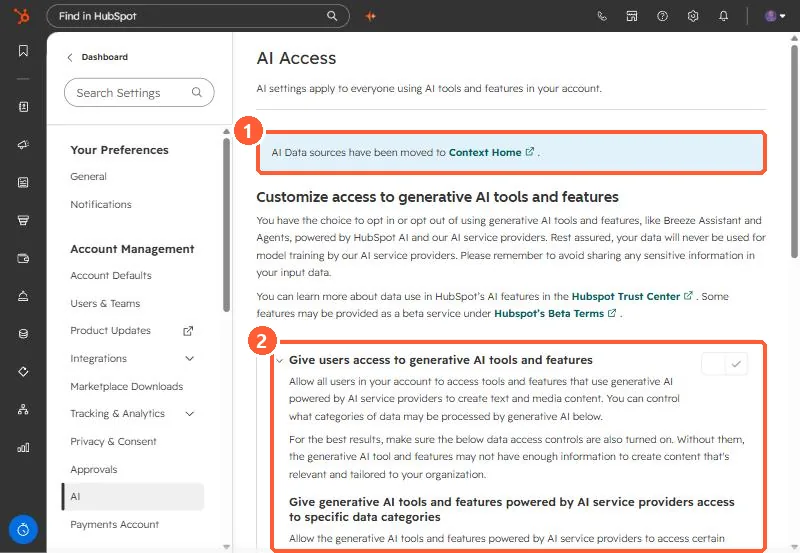
Open AI settings. A note says AI data sources have moved to Context Home.
2. The toggles
- Generative AI tools and features: lets users generate content in editors, the inbox, sales emails, templates, and Breeze Assistant.
- CRM data: contacts, companies, deals, tickets, notes, and feedback. HubSpot says it is on by default.
- Customer conversation data: call transcripts and recordings, emails, and chats. On by default.
- Files data: public files and documents in HubSpot's file tools.
- Breeze Assistant: on by default. You can restrict individuals in user permissions.
3. Decide on purpose
HubSpot says turning on these settings does not use HubSpot Credits. Turn off the data categories your policy does not allow, and tell users to avoid sharing sensitive information in prompts, as the page also advises.