Short answer
Super Admins can create a CRM backup under Settings > Backup & Restore. Starter and Professional accounts can back up once a week, Enterprise every 24 hours, and only Enterprise can schedule recurring backups. The download is a zip with a CSV per object, available for 14 days. Sensitive Data property values are included, so store it securely.
1. Create one
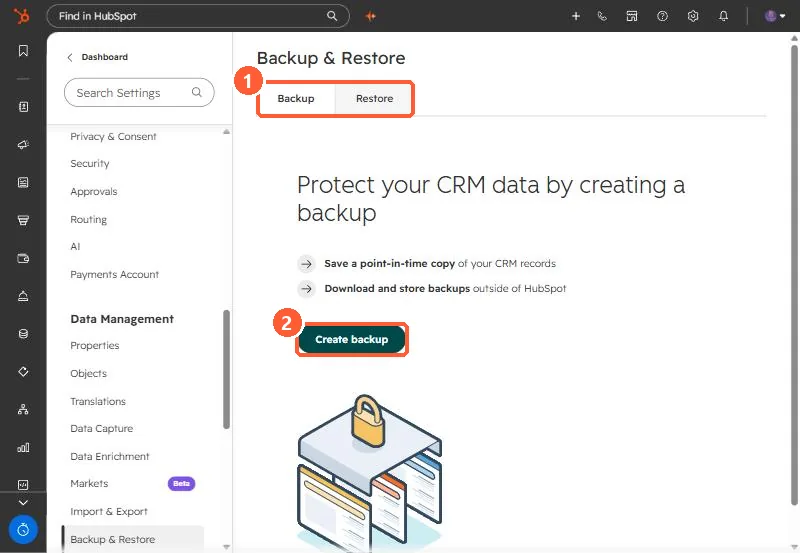
Go to Settings > Data Management > Backup & Restore and create a backup. Changes made while a large backup is processing may not be in it.
2. What you get
- A zip file with one CSV per object. Objects with no records have no file.
- Download within 14 days of creation.
- Values from Sensitive Data properties are included.
3. Schedules
Enterprise accounts can schedule backups once a week or every two weeks on a chosen day, after creating at least one manual backup. Before a large import or a cleanup, take a manual backup regardless of schedule. The Restore tab handles restoring CRM changes.