Short answer
Settings, Calling, Call Setup covers account-wide numbers. You can get a HubSpot number, port an existing number in so HubSpot owns it, or let each user register their own number for outbound caller ID. Ported and HubSpot numbers support inbound calling, IVR and calling channels in Inbox and Help Desk. Registered numbers are outbound only, and each user registers separately. My demo portal shows 0 of 2 HubSpot numbers used.
1. Call Setup
The Phone Numbers tab applies to everyone. Personal numbers live in each user's calling settings.
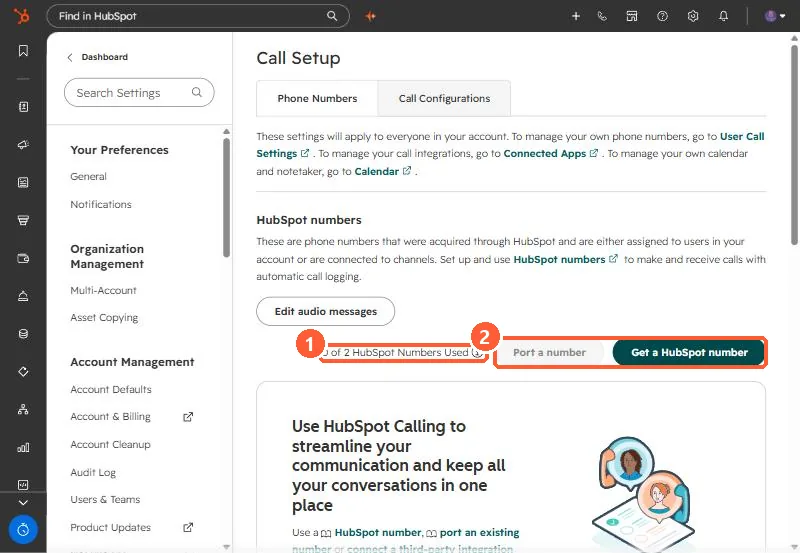
2. The three options
- HubSpot number: bought or included, used for inbound and outbound with automatic logging.
- Ported number: your existing number moves to HubSpot's carrier and becomes a HubSpot number.
- Registered number: a user's own number as outbound caller ID. Each user must register it, even if the office shares it.
3. Minutes and inbound
Outbound calls use the minutes in your subscription. Super Admins on Sales or Service Hub Professional or Enterprise can buy more. To receive calls in HubSpot, use a HubSpot or ported number. For Microsoft Teams calling instead, see Teams click to call.