Short answer
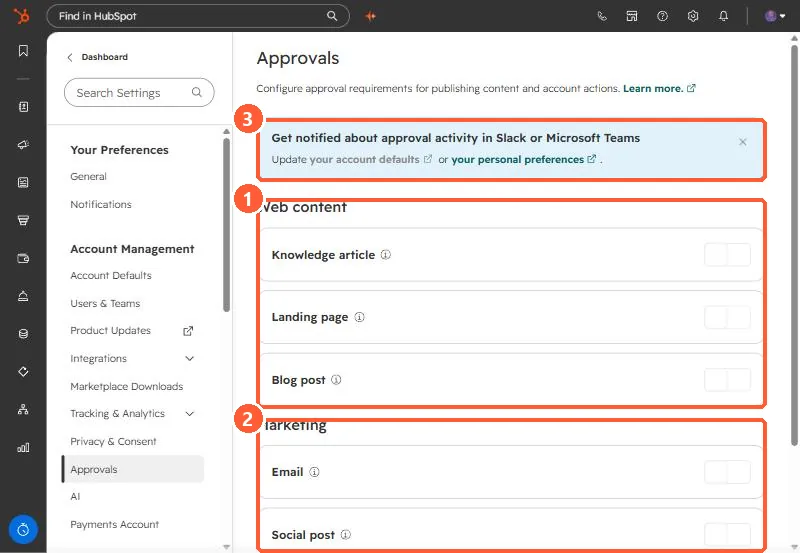
In Settings, Approvals, toggle approval on per content type: knowledge articles, landing pages, and blog posts under Web content, and email and social posts under Marketing. Then choose who can skip approvals: only Super Admins, everyone, or chosen users. HubSpot says Content Hub Enterprise is required for pages and blog posts, and Marketing Hub Enterprise for marketing email and social. Deal and quote approvals are set in their own tools. All are off in my demo.
1. The Approvals page
Open Approvals.
2. Setting it up
- Toggle on a content type.
- Choose who can skip: only Super Admins, everyone, or users you pick. HubSpot says Super Admins can always skip.
- Give approvers the Approve permission for that content type in Users & Teams.
Writers then click Request approval in the editor, pick approvers, and choose whether all or one must approve. A banner on the page points to Slack or Microsoft Teams notifications for approval activity.
3. Related
Deal approvals live in pipeline rules. See pipeline rules.