Quick tipGotchaSmart CRM

HubSpot import limits: file size, rows per file, and imports per day

Large migrations hit import limits sooner than people expect. The numbers are worth knowing before you split files.

Subscription
Limits shown are for Smart CRM or Starter, Professional and Enterprise subscriptions
Permissions
Import access
Time
3 min · Intermediate
Last verified

Short answer

HubSpot's KB lists these limits for Smart CRM or Starter, Professional and Enterprise accounts: files up to 512 MB, up to 1,048,576 rows per file, up to 500 imports a day, and up to 10,000,000 rows a day, or 80,000,000 a day through the imports API. The daily limits are a rolling 24 hour period, not a reset at midnight.

1. The limits

  • File size: 512 MB.
  • Rows per file: 1,048,576.
  • Imports per day: 500.
  • Rows per day: 10,000,000 in the app, 80,000,000 through the imports API.
  • Daily limits run on a rolling 24 hours.
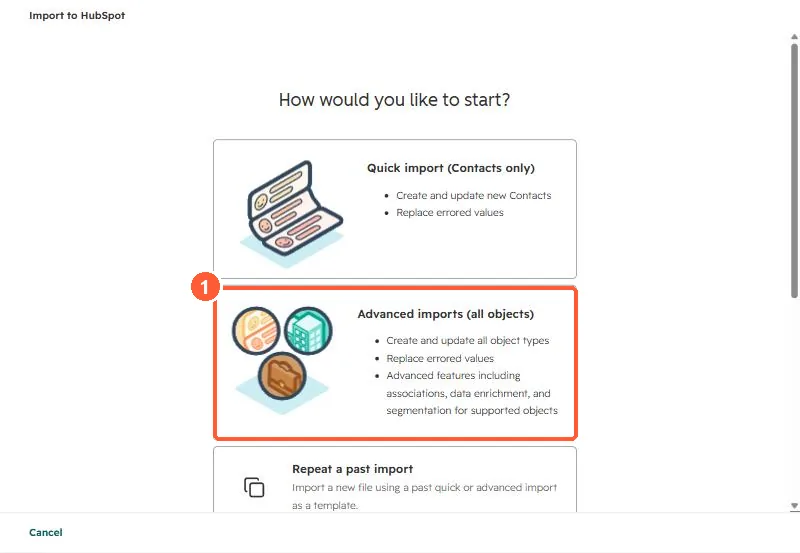
Import start screen with Quick import, Advanced imports and Repeat a past import options
Advanced imports (1) is where multi-object and large loads usually start.

2. Planning big loads

Split by object and by row count, and load parents before children so associations resolve. Keep the Record ID or a unique property in every file so a retry updates instead of duplicating. See duplicates after an import.

Sources

New field notes by email

One email when a new article publishes.

Still stuck?

If this did not fix it, the problem is probably specific to your setup. Book a call and we will look at it together.

Book a call with Sam