Quick tipHow toSmart CRMMarketing Hub

Put imported contacts into a segment

Use the past import's More menu.

Subscription
All tiers
Permissions
Import and segment access
Time
2 min · Beginner
Last verified

Short answer

HubSpot's KB: from the Past imports table, hover the import, click More > Add imported contacts to segment, then choose a new static segment, an existing static segment, or a new active segment using the Import membership criteria.

1. Import actions

Import actions in my demo portal.
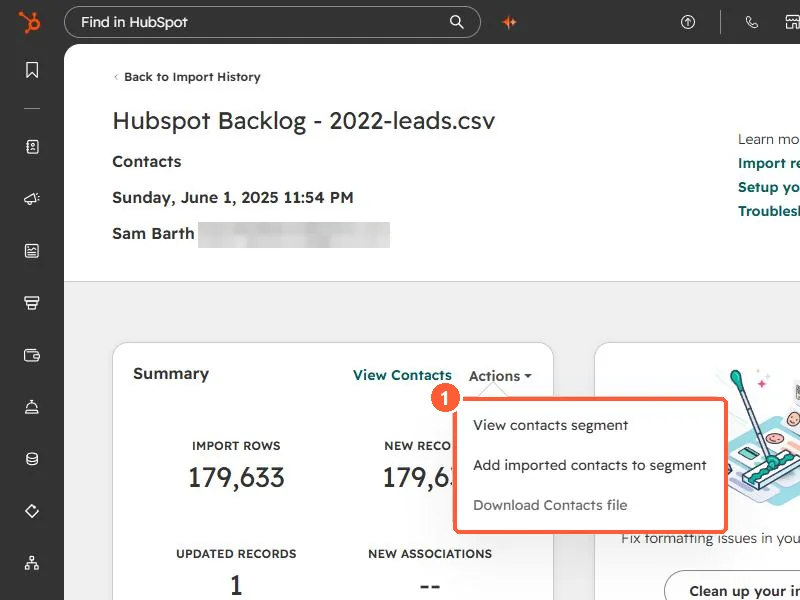
Import Actions menu showing View contacts segment, Add imported contacts to segment, and Download Contacts file
The Actions menu on the Summary card.

2. Find the import later

See finding records from an import.

3. Related

Active vs static.

Sources

New field notes by email

One email when a new article publishes.

Still stuck?

If this did not fix it, the problem is probably specific to your setup. Book a call and we will look at it together.

Book a call with Sam