Quick tipHow toMarketing Hub

Install the HubSpot tracking code on Wix

Custom Code, all pages, Body - end.

Subscription
All tiers
Permissions
Wix site admin; HubSpot settings access
Time
3 min · Beginner
Last verified

Short answer

HubSpot's KB for Wix: in the site dashboard go to Settings > Advanced > Custom Code, click Add Custom Code, paste the tracking code, apply it to All pages with Load code on each new page, and place it in Body - end. That also loads chatflows on every page.

1. Your code

Tracking code settings in my demo portal, Hub ID blurred.
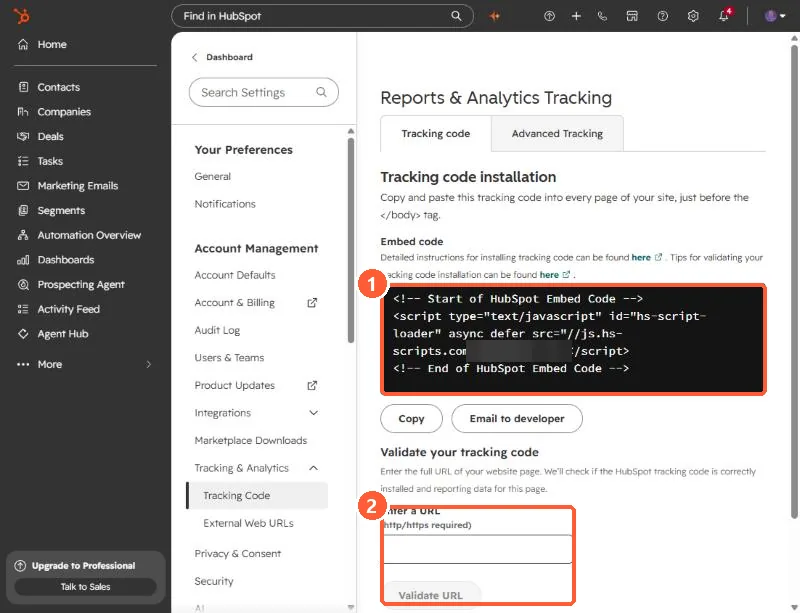
Tracking code tab showing the embed code and Validate your tracking code
The embed code (1) and the Validate your tracking code box (2).

2. Check it works

See checking the tracking code.

3. Related

WordPress plugin.

Sources

New field notes by email

One email when a new article publishes.

Still stuck?

If this did not fix it, the problem is probably specific to your setup. Book a call and we will look at it together.

Book a call with Sam