Short answer
HubSpot's lead scoring tool builds three kinds of score. Engagement scores count actions such as site visits, CTA clicks and email opens. Fit scores use property values such as job title or company size. Combined scores do both and label records A1 to C3, where the letter is fit and the number is engagement. Contact scores need Marketing Hub. Each score creates properties you can use in views, segments and workflows.
1. Where it lives
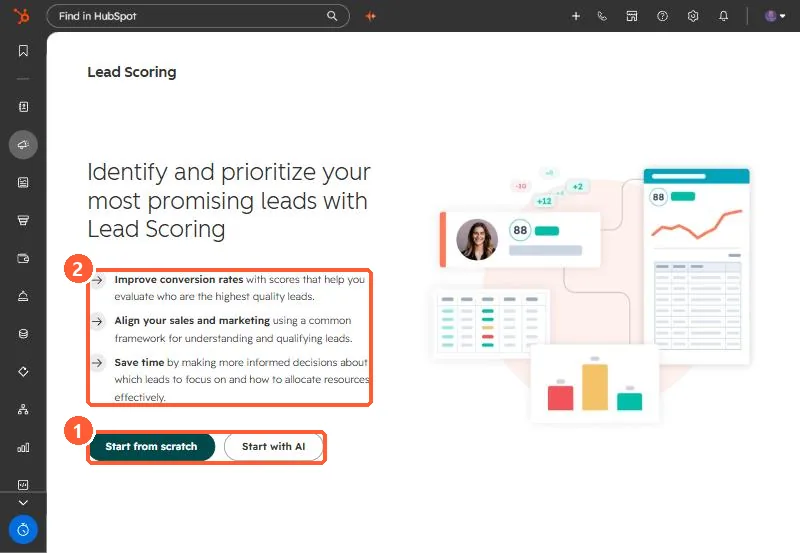
Go to Marketing > Lead Scoring. With no scores yet, my demo portal offers Start from scratch or Start with AI.
2. The three score types
- Engagement: actions and interactions, such as visiting your website, subscribing, clicking a CTA, or opening a marketing email.
- Fit: property values, such as job title, company size or annual revenue.
- Combined: both. HubSpot stores a total, a fit value and an engagement value.
Score limits run from -100 to 100 up to -10,000 to 10,000, so negative points are allowed. Use them for signals like a competitor email domain.
3. Thresholds
Engagement and fit scores get High, Medium and Low labels, for example 70 to 100 as High. Combined scores get A1 through C3: A is high fit, C is low fit, 1 is high engagement, 3 is low. A C1 contact is very engaged but a poor fit.
4. Use it
Build a saved view or segment of High or A1 records, and agree with sales what happens when a record crosses the line.