Short answer
In board view, each column footer shows the stage's total amount and weighted amount, where weighted is the total multiplied by the stage probability. Hover a card to edit a property inline, Ctrl or Cmd click to select several, and use the icons on each card to add a note or task. The data insights card above a view sums total and weighted deal amount and lets you group them. My demo board also shows Overdue and Stale tags on cards.
1. The board
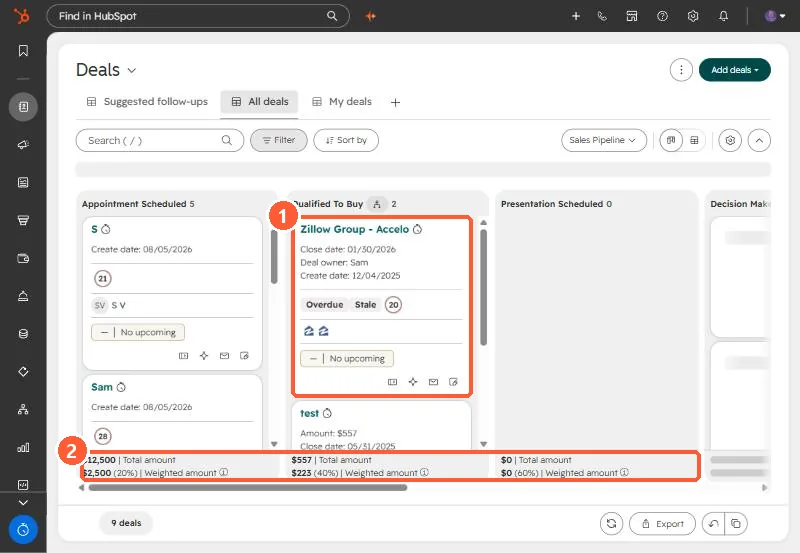
2. Actions
- Hover a card, click the edit icon by a property, change it, save.
- Ctrl or Cmd click several cards, or Select all, for bulk actions.
- The note and task icons on a card log activity without opening the deal.
3. Totals
Stage footers show total and weighted amount. Weighted uses the stage probability. See deal stage probability. The insights card sums total and weighted amounts across the view, excluding closed lost from the weighted average. In multi-currency accounts it uses company currency.