Short answer
Marketing, Email, Templates tab has Drag and drop and Custom template sets; my demo portal shows 54 drag and drop templates by category, plus Saved templates. Saving an email as a template, and coded custom templates, need Marketing Hub Professional or Enterprise. You can also upload an external design with AI, up to 100 a month, though some features such as custom fonts and gradients are not recreated.
1. The tab
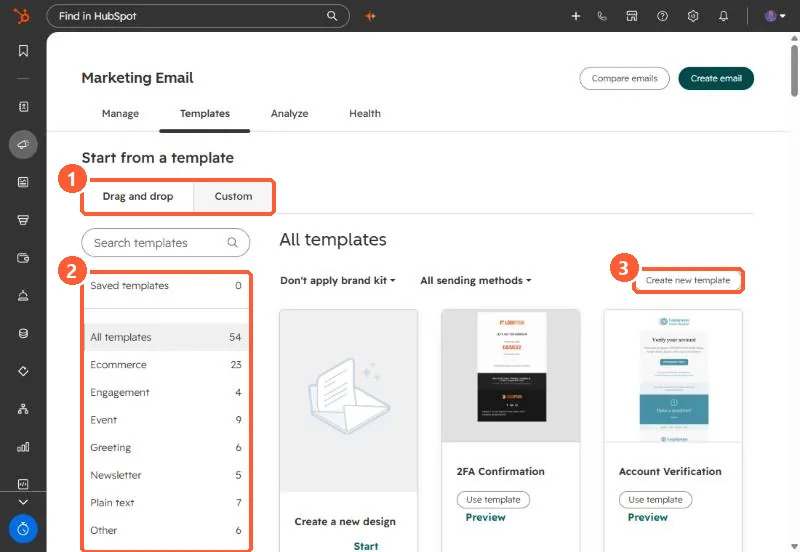
2. Which kind
- Drag and drop: editors change layout and content in the email editor.
- Custom: coded templates built in the Design Manager.
- Saved: your own emails saved as templates.
3. Uploading an existing design
Create email, then Upload design, recreates an external HTML email in the drag and drop editor. HubSpot adds its default footer for CAN-SPAM details. Custom fonts, rounded corners and gradients do not carry over. Sales one-to-one templates are a different tool. See sales email templates.