Quick tipHow toSmart CRM

Scan business cards into HubSpot

Tap Scan card or QR code in the mobile app.

Subscription
All tiers
Permissions
Contact create access
Time
2 min · Beginner
Last verified

Short answer

HubSpot's KB: the mobile app imports contacts from device contacts, the business card scanner or a QR code. Card scanning works on Android and iOS 16 or higher, not on iPads. Scanned contacts get a business-card-scanner source drill-down.

1. Desktop imports

Bigger lists go through desktop import. My demo portal:
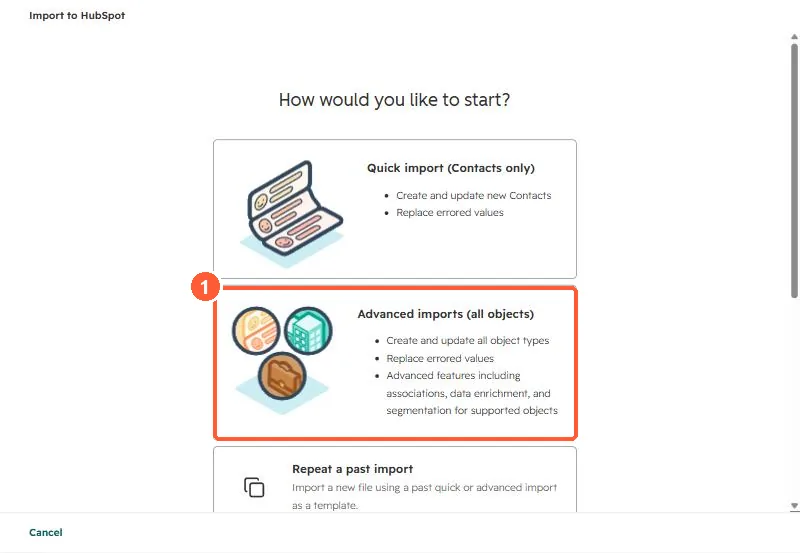
Import start screen with Quick import, Advanced imports and Repeat a past import options
Advanced imports (1).

2. Events

Tag scanned contacts with a property so you can find them later.

3. Related

Offline sources.

Sources

New field notes by email

One email when a new article publishes.

Still stuck?

If this did not fix it, the problem is probably specific to your setup. Book a call and we will look at it together.

Book a call with Sam