Quick tipGotchaSmart CRMRevenue Hub

Check NetSuite sync status on records

Newer installs must add the card manually.

Subscription
Check your subscription
Permissions
Super Admin or Customize record page layout to add
Time
2 min · Intermediate
Last verified

Short answer

HubSpot's KB: the card shows on contact, company, deal and invoice records. It's added automatically unless you customized the right sidebar or installed after Oct. 7, 2025; then an admin adds it. Sync not found means the integration is active but that record isn't syncing.

1. In HubSpot

The relevant screen in my demo portal.
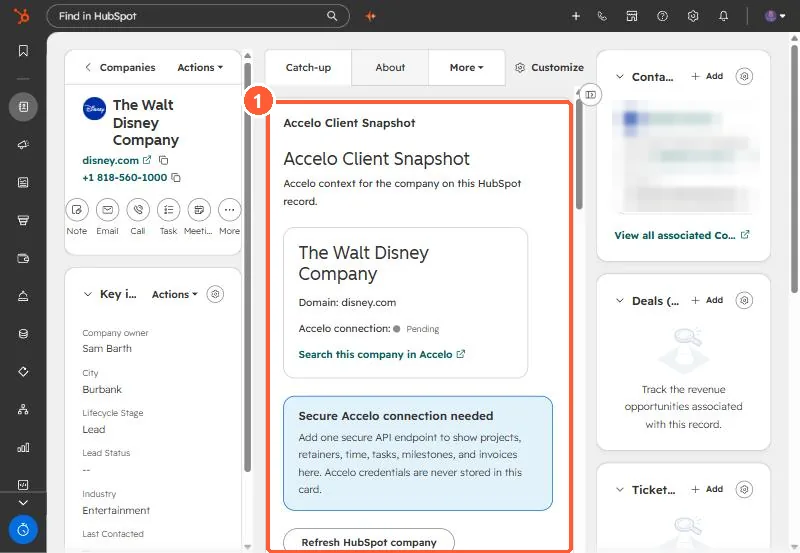
A custom Client Snapshot app card on a company record in the demo portal
A version of the card on a demo company record (1).

2. Worth knowing

Use the card first when a rep asks why a record isn't in NetSuite.

3. Related

NetSuite integration and record cards.

Sources

New field notes by email

One email when a new article publishes.

Still stuck?

If this did not fix it, the problem is probably specific to your setup. Book a call and we will look at it together.

Book a call with Sam