Quick tipGotchaContent Hub

Keep a HubSpot page out of Google: noindex vs robots.txt

Already indexed: noindex. Not yet indexed: robots.txt. Not both.

Subscription
All CMS tiers
Permissions
Website settings access
Time
4 min · Intermediate
Last verified

Short answer

HubSpot's KB: for content already indexed, add a noindex meta tag to the head HTML. For content not yet indexed, add it to robots.txt. Don't combine them: robots.txt prevents search engines from seeing the noindex tag. robots.txt only covers domains connected to HubSpot, and can be edited for all domains or one.

1. Sitemap

Sitemap settings in my demo portal.
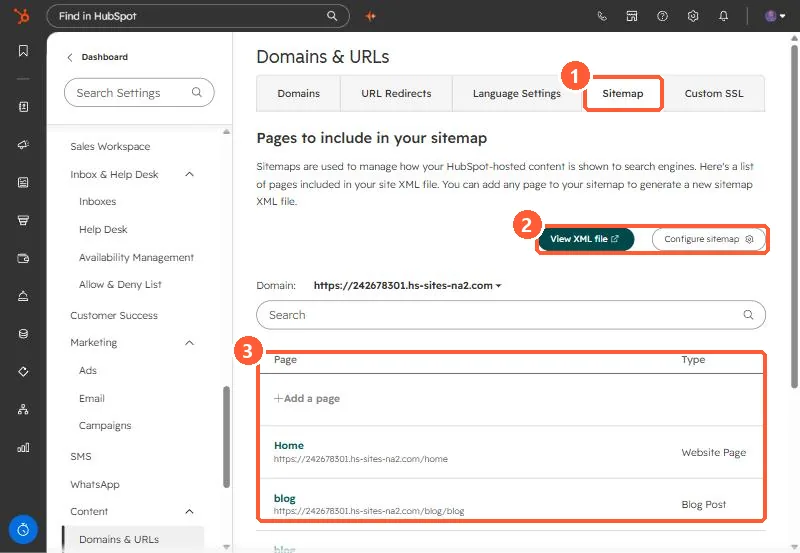
Sitemap settings with View XML file and Configure sitemap and the page list
Sitemap tab (1), view and configure (2), and the page list (3).

2. If a page isn't indexed

Check for a leftover noindex, and request indexing in Search Console. See Search Console.

3. Related

Sitemap settings.

Sources

New field notes by email

One email when a new article publishes.

Still stuck?

If this did not fix it, the problem is probably specific to your setup. Book a call and we will look at it together.

Book a call with Sam