Short answer
Payment links are checkout pages for one or more line items. To use them you sign up for HubSpot payments (Starter, Professional or Enterprise) or connect a Stripe account (all subscriptions). HubSpot's KB suggests testing with Stripe in a sandbox account using Stripe test values, since HubSpot payments is not supported in sandboxes. You can also send a form submission straight to a payment link.
1. The list
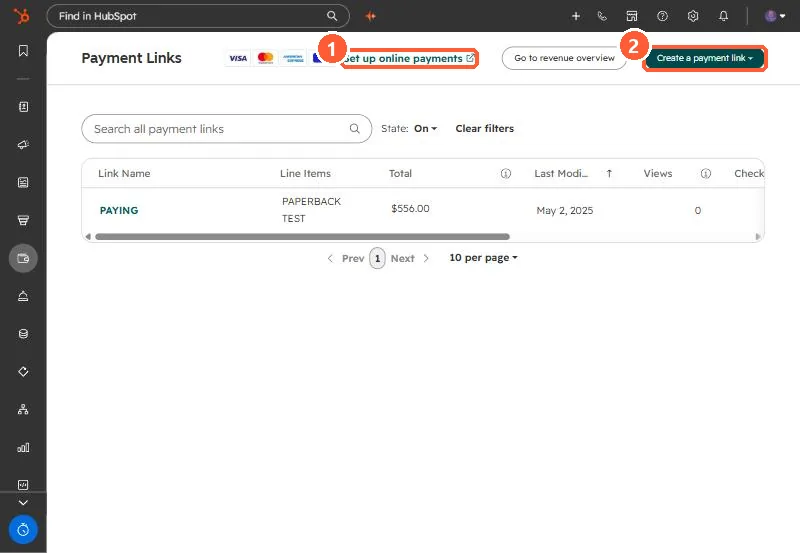
My demo portal has one test payment link, with filters by state and columns for line items, total, views and checkouts.
2. HubSpot payments or Stripe
- HubSpot payments: processing through HubSpot, with domain choice for the link.
- Stripe: processing through your Stripe account. Payment reporting stays in Stripe.
3. Testing and forms
Test the flow in a sandbox with Stripe test values. Sandbox transactions do not appear in your main account. To collect payment after a form, create the payment link first, then set the form to redirect to it.