Short answer
Settings, Security, Login tab is where you set allowed login methods, IP restrictions, session timeout and allowed 2FA methods for every user. HubSpot's KB says 2FA is required for all Starter, Professional and Enterprise accounts and cannot be turned off or waived per user. When the requirement is switched on it takes effect after 24 hours, so users have time to set up a method. Text message 2FA is labeled least secure and is not available on free accounts.
1. Where
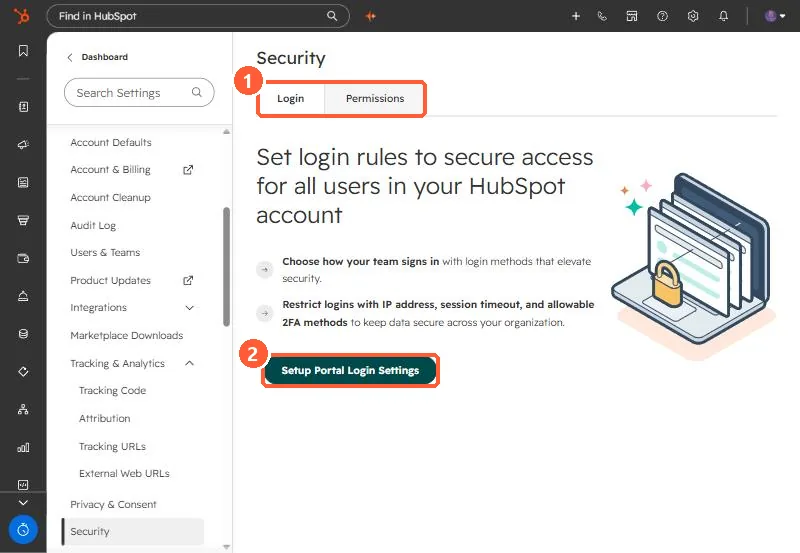
Go to Settings > Security. The Login tab starts with a setup wizard; Permissions is the second tab.
2. 2FA
- Required for Starter, Professional and Enterprise accounts. It applies account-wide and individual users cannot be excluded.
- Passkeys and authenticator apps are available on all tiers. Text message is marked least secure.
- After switching the requirement on there is a 24 hour grace period. Users without a method set it up at their next login.
3. Other rules
The wizard covers which login methods are allowed, IP address restrictions and session timeout. Set these with your IT team, and keep one Super Admin who can still get in if single sign-on breaks.