Short answer
Add propertiesWithHistory to a record read, listing the property internal names. HubSpot returns each property's past values with their timestamps and source, the same history shown in the UI. It also works on batch read endpoints, which take a propertiesWithHistory array.
1. The request
GET https://api.hubapi.com/crm/v3/objects/contacts/CONTACT_ID?propertiesWithHistory=lifecyclestage,hubspot_owner_id2. Same data as the UI
In the app, property history is under a property's details on the record. This is the screen from my demo portal.
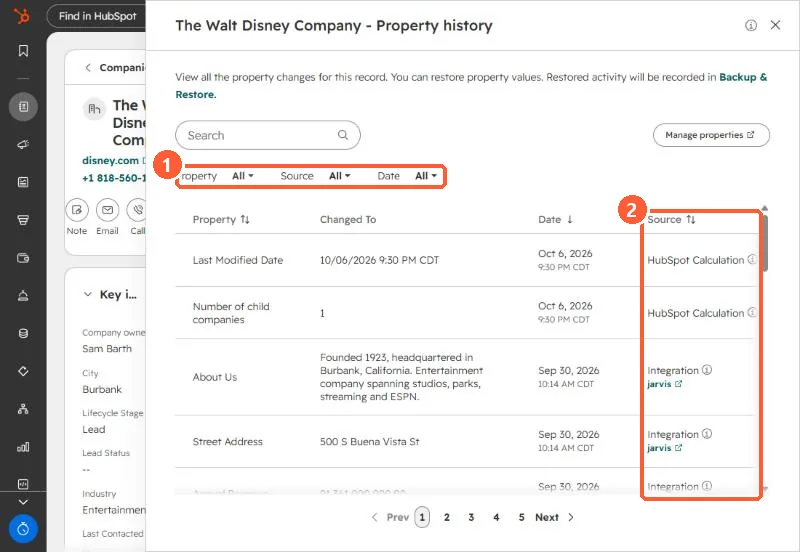
3. Uses
- Finding which integration overwrote a field.
- Rebuilding a value an import replaced.
- In the UI: viewing property history.