Quick tipHow toRevenue Hub

Approve quotes before they go out

Approve from the approvals panel.

Subscription
Revenue Hub Professional or Enterprise
Permissions
Non view-only Revenue Hub seat
Time
2 min · Intermediate
Last verified

Short answer

HubSpot's KB: users with a Revenue Hub seat that isn't View-only can approve quotes using standard or advanced approvals. If the panel isn't visible, click the Approvals icon in the right sidebar.

1. In HubSpot

The relevant screen in my demo portal.
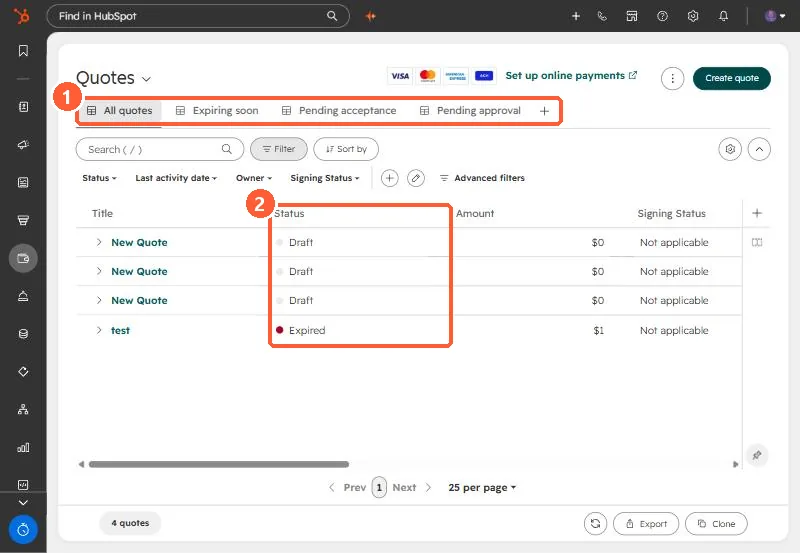
Quotes index with All quotes, Expiring soon, Pending acceptance and Pending approval views
Quote views (1) and statuses (2).

2. Worth knowing

The KB covers approving after setup; the approval types are explained in a separate article.

3. Related

Quote basics.

Sources

New field notes by email

One email when a new article publishes.

Still stuck?

If this did not fix it, the problem is probably specific to your setup. Book a call and we will look at it together.

Book a call with Sam