Short answer
Settings, Objects, pick the object, then Record Customization. The Default view shows to everyone not on an assigned team. Create team view builds a layout shown only to main team members of the teams you assign. Team views need a Professional or Enterprise subscription. The same idea exists for record previews on the Preview customization tab.
1. The tab
My demo portal has only the Default view for companies.
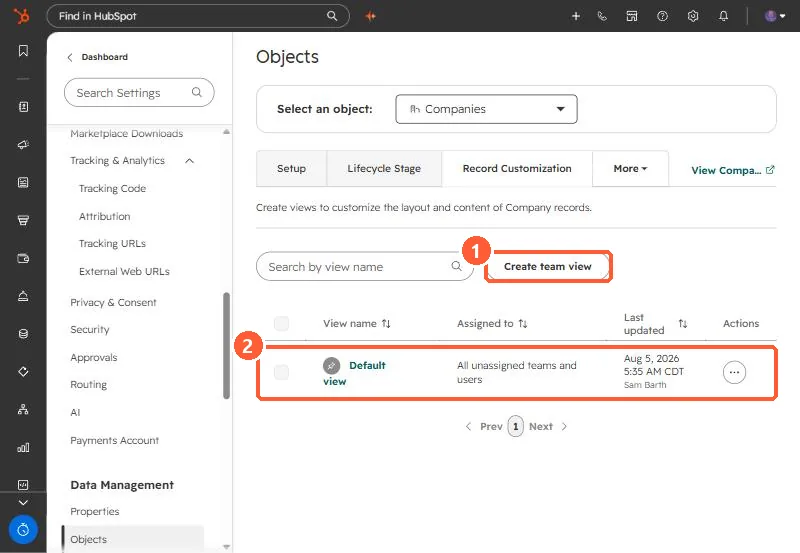
2. Who sees which view
- Team views show to main team members of assigned teams.
- Everyone else gets the Default view.
- Extra team membership does not apply a team's record view.
3. Tips
Keep the default view complete enough for anyone, and trim team views to what that team uses. Card order matters most for the first screen. For required fields at creation, see customizing the create form.