Quick tipHow toContent HubMarketing Hub

Edit content in rich text modules

HubL in source renders on the live page only.

Subscription
All tiers
Permissions
Edit permission for the content type
Time
2 min · Beginner
Last verified

Short answer

HubSpot's KB: click a rich text module to show the toolbar, or open the expanded view. HubL added to the source won't render in the editor, only on the published page.

1. In HubSpot

The relevant screen in my demo portal.

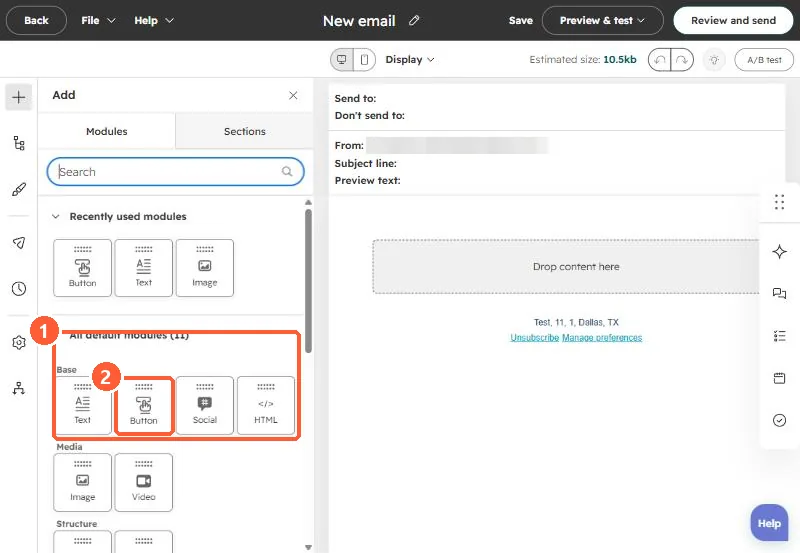
Email editor default modules including Text, Button, Social, HTML, Image, and Video
The default modules (1). Button (2) is the usual way to send people to a form.
2. Worth knowing

Preview the page when using HubL in rich text.

3. Related

Smart content.

Sources

New field notes by email

One email when a new article publishes.

Still stuck?

If this did not fix it, the problem is probably specific to your setup. Book a call and we will look at it together.

Book a call with Sam