Quick tipHow toSales Hub

Where to manage Salesforce integration settings

API usage and sync errors in one place.

Subscription
Professional or Enterprise
Permissions
Super Admin or integration access
Time
2 min · Intermediate
Last verified

Short answer

HubSpot's KB: settings show API calls used in the last 24 hours and all sync errors. HubSpot contacts always sync with Salesforce leads or contacts by default when the integration is on.

1. In HubSpot

The relevant screen in my demo portal.
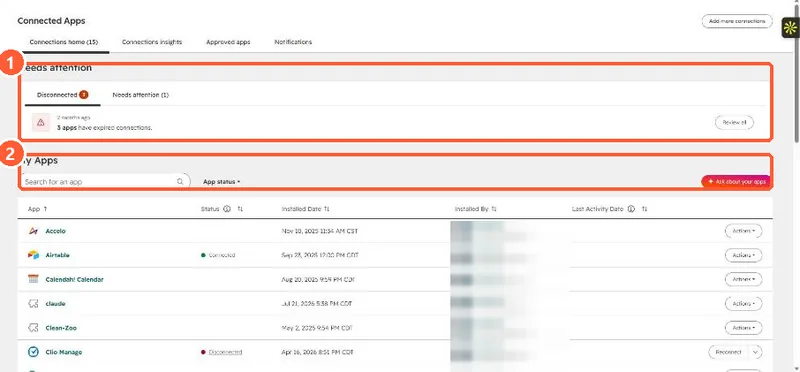
Connected Apps page with a Needs attention panel showing disconnected apps and the My Apps list
Needs attention (1) and installed apps (2).

2. Worth knowing

Check the error list first when deals stop syncing.

3. Related

Sync errors and deal sync.

Sources

New field notes by email

One email when a new article publishes.

Still stuck?

If this did not fix it, the problem is probably specific to your setup. Book a call and we will look at it together.

Book a call with Sam