Short answer
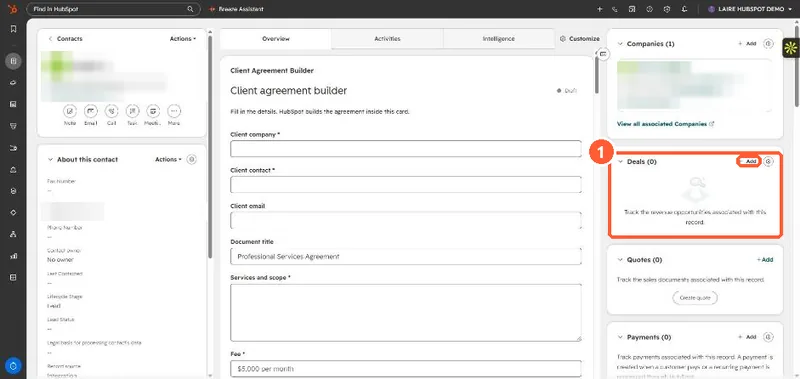
HubSpot deduplicates contacts by email. If you try to create a contact with an email that already exists, HubSpot alerts you and will not create it. A contact can have many deals, so for repeat business open the existing contact and use Add on the Deals card in the right sidebar. The new deal sits next to the old one, and the contact's history stays in one place.
1. The Deals card
A contact in my demo portal with no deals yet. The Deals card has its own Add link, separate from the record's header actions.
2. Why the duplicate contact causes trouble
- HubSpot blocks a manual create with the same email, so reps change the email slightly or leave it blank. Either way you now have two people in reports and lists.
- Emails, forms and meetings keep landing on the original contact, so the new deal's contact has no history.
- Cleaning it up later means a merge. See merging two records.
3. Do this instead
Create the new deal from the existing contact, give it its own name, amount and close date, and leave the old deal closed. If the person moved to a new company, update the company association rather than making a new contact.