Quick tipHow toSmart CRM

Set your default dashboard

Default is per user. Access is per dashboard.

Subscription
All tiers with dashboards
Permissions
Dashboard, reports, and analytics permissions
Time
2 min · Beginner
Last verified

Short answer

HubSpot's KB: choose Set as default on a dashboard and it's shown to you from then on when you open dashboards. Access options include Private to owner and View only for everyone; limiting to specific users and teams is Enterprise only.

1. Dashboard settings

Dashboard settings in my demo portal.
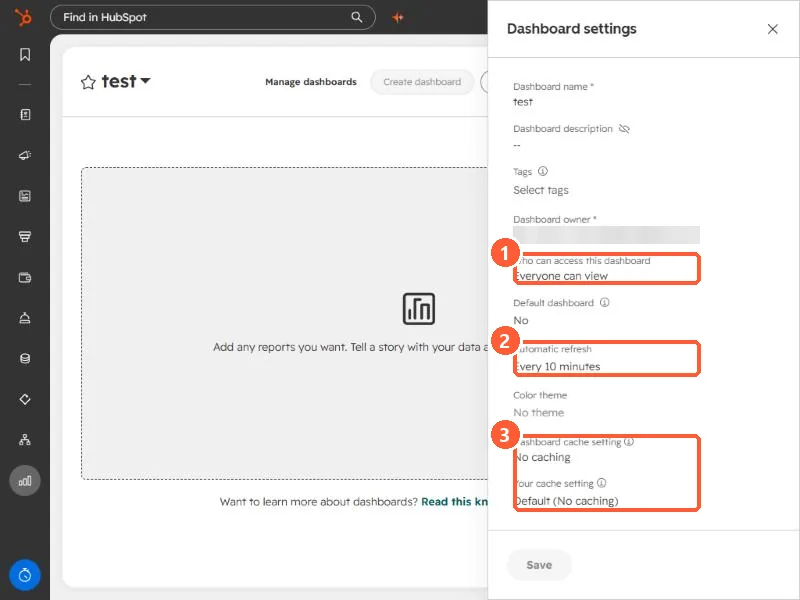
Dashboard settings panel with the access, automatic refresh, and cache settings highlighted
Access (1), automatic refresh (2), and cache settings (3).

2. Home page

Your profile preferences also have a default home page setting.

3. Related

Dashboard settings.

Sources

New field notes by email

One email when a new article publishes.

Still stuck?

If this did not fix it, the problem is probably specific to your setup. Book a call and we will look at it together.

Book a call with Sam