Short answer
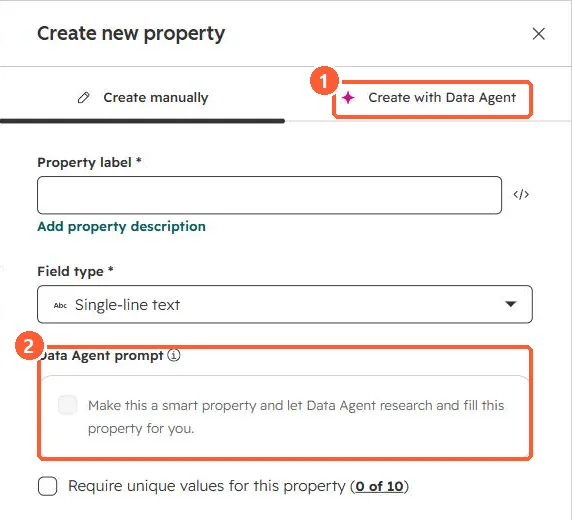
In the create property panel, Make this a smart property adds a Data Agent prompt so HubSpot researches and fills the value. HubSpot's KB says smart properties work for contacts, companies, deals, tickets and custom objects, can use sources such as activity transcripts, and are separate from standard enrichment. Running one consumes HubSpot Credits. In bulk, use the Data Agent: Fill Smart Property workflow action.
1. The option
The create property panel in my demo portal. I did not create a property.
2. Control the cost
- Set a feature limit first. See credits.
- Run on a small segment before all records.