Quick tipFix itSales HubSmart CRM

Stop HubSpot from creating contacts from every logged email

Logging an email to someone not in HubSpot can create a contact. You can stop that per email and set safer defaults.

Subscription
All tiers
Permissions
Account access to set defaults for all users
Time
4 min · Beginner
Last verified

Short answer

HubSpot's KB: when logging an email, clear the checkbox next to an address under Create as new contacts to log to existing records only. Admins with account access can set the default log and track behavior for all users. Contacts created from logged emails are set as non-marketing if you use marketing contacts. A Super Admin can opt into a beta for contact email logging rules.

1. Account settings

Email Log & Track in my demo portal.
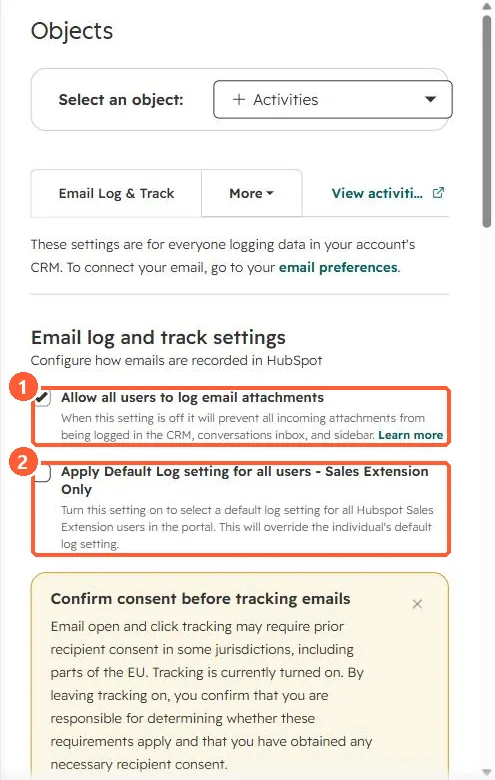
Email log and track settings with the extension default log setting
Attachment logging (1) and the extension default (2).

2. Keep personal mail out

See the never log list and log replies only.

3. Related

Sales extension.

Sources

New field notes by email

One email when a new article publishes.

Still stuck?

If this did not fix it, the problem is probably specific to your setup. Book a call and we will look at it together.

Book a call with Sam