Quick tipHow toContent Hub

Make HubSpot pages more accessible

HubSpot gives you the tools. The templates and content still have to use them.

Subscription
All CMS tiers
Permissions
Page editing access
Time
4 min · Intermediate
Last verified

Short answer

HubSpot's developer guide covers text alternatives for non-text content (empty alt for presentational images), visible form labels instead of hiding them, a skip-to-content link, keyboard navigation, and semantic elements like proper table headers. HubSpot's KB adds that alt text helps both accessibility and SEO.

1. Pages

Website pages in my demo portal.
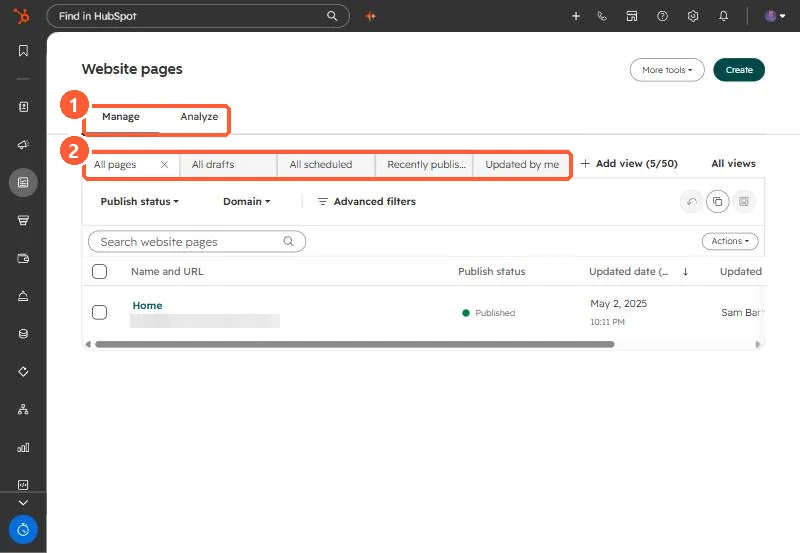
Website pages list with Manage and Analyze tabs, saved views, publish status and domain filters
Manage and Analyze tabs (1) and saved views (2).

2. Legal compliance

Whether a site meets a legal standard depends on more than HubSpot settings. Get a specialist audit if it matters to you.

3. Related

Page speed.

Sources

New field notes by email

One email when a new article publishes.

Still stuck?

If this did not fix it, the problem is probably specific to your setup. Book a call and we will look at it together.

Book a call with Sam