Quick tipGotchaSmart CRM

Set when workflow actions run

No account time zone means EST.

Subscription
Professional or Enterprise
Permissions
Workflows access
Time
2 min · Intermediate
Last verified

Short answer

HubSpot's KB: timing uses your account's time zone; with none set, it defaults to EST. Timing settings affect actions after enrollment, not enrollment itself. Pause dates combine with day and time limits when rescheduling.

1. In HubSpot

The relevant screen in my demo portal.
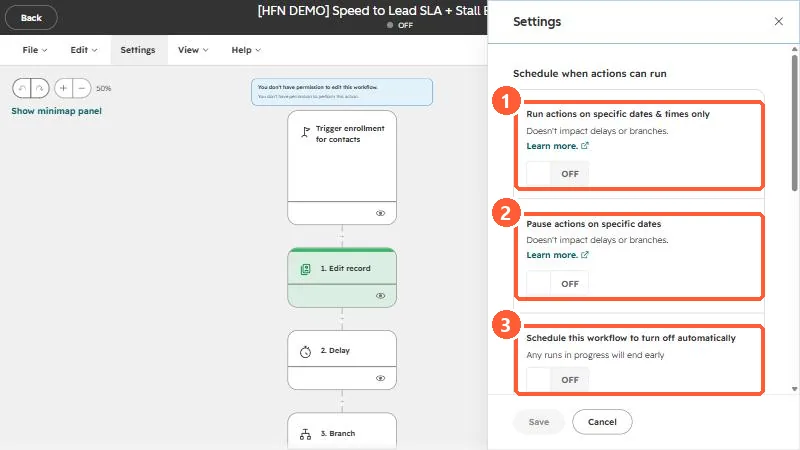
Workflow Settings panel with the three schedule toggles highlighted
The three schedule toggles, all off by default.

2. Worth knowing

Check the account time zone before blaming the workflow.

3. Related

Workflow settings and account time zone.

Sources

New field notes by email

One email when a new article publishes.

Still stuck?

If this did not fix it, the problem is probably specific to your setup. Book a call and we will look at it together.

Book a call with Sam