Short answer
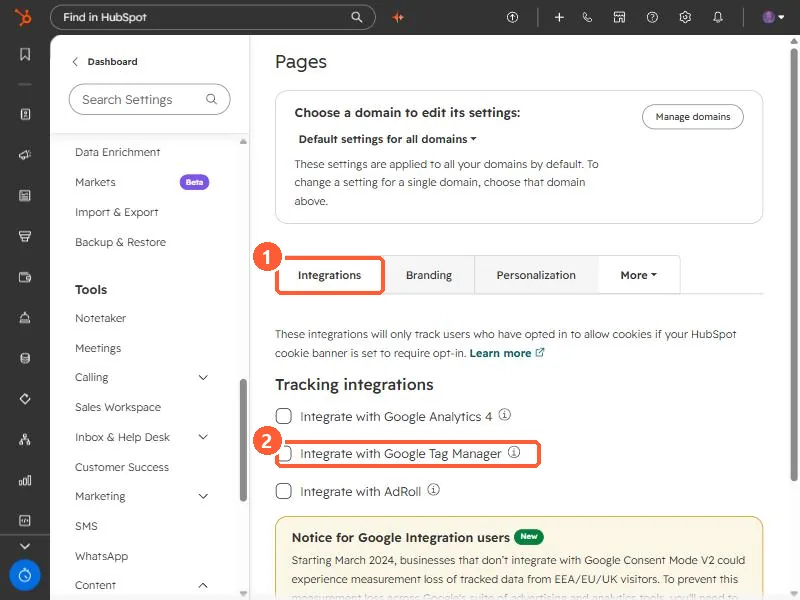
In Settings > Content > Pages > Integrations, tick Integrate with Google Tag Manager. HubSpot's KB says the tag manager then runs on all HubSpot-hosted content: landing pages, website pages, blog and knowledge base. External sites need GTM added separately. To track only some HubSpot domains, add the GTM code manually instead. It needs Marketing Hub Professional or Enterprise, or Content Hub Starter or higher.
1. The setting
Pages settings in my demo portal, Integrations tab. GA4, GTM and AdRoll are listed together.
2. Consent
These integrations only track visitors who opted in if your cookie banner requires opt-in. See Google Consent Mode.