Quick tipHow toSmart CRM

Manage app cards from connected apps

Manage locations per view.

Subscription
All tiers
Permissions
Super Admin
Time
2 min · Intermediate
Last verified

Short answer

HubSpot's KB: Super Admins open the app, then the App cards tab, and click Manage locations to choose which record views show the card. The guide also covers migrating an updated classic CRM card.

1. In HubSpot

The relevant screen in my demo portal.
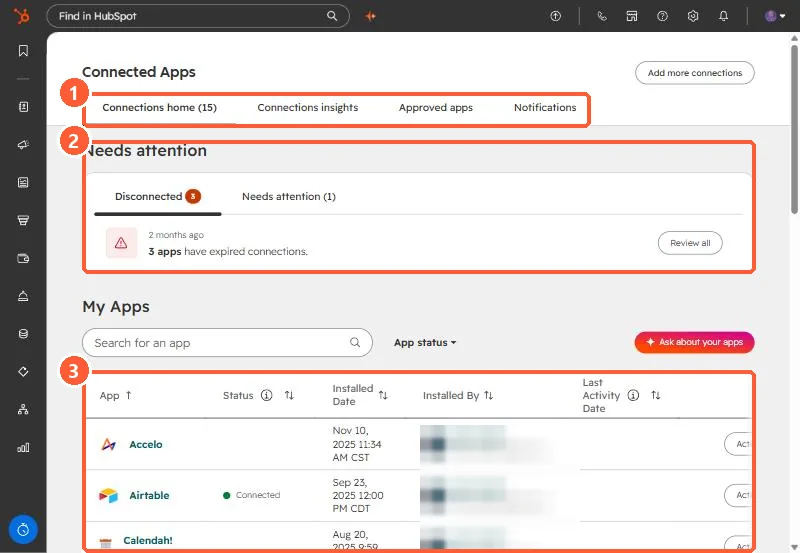
Connected Apps page with the tabs, the Needs attention section, and the My Apps table highlighted
Tabs (1), Needs attention (2), and My Apps (3).

2. Worth knowing

Only add cards to views where reps need them.

3. Related

Custom app cards and sync cards.

Sources

New field notes by email

One email when a new article publishes.

Still stuck?

If this did not fix it, the problem is probably specific to your setup. Book a call and we will look at it together.

Book a call with Sam