Short answer
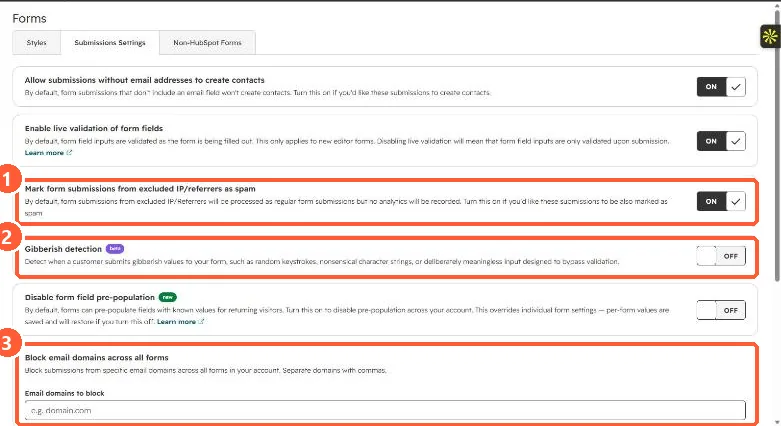
Settings > Marketing > Forms > Submissions Settings has account-wide controls: mark submissions from excluded IPs or referrers as spam, Gibberish detection for random strings, and Block email domains across all forms. Visitors with a blocked email address or domain cannot submit. Blocking specific domains or free email providers needs Marketing Hub or Content Hub Starter or higher. Individual forms can also block free email providers.
1. The settings
In my demo portal, excluded IP submissions are marked as spam, gibberish detection (Beta) is off, and no domains are blocked yet.
2. Which tool for which spam
- Junk text in fields: gibberish detection. Property rules also let a field opt in, as seen in property validation rules.
- Disposable or competitor addresses: blocked domains.
- Your own team testing: exclude office IPs. See excluding your own traffic.
3. The opposite problem
If real submissions are being marked as spam, see form submissions marked as spam.