"Please enter a different email address": blocked domains in forms
A rejected email is usually the Block free email providers option, or a disposable domain HubSpot always blocks.
Subscription
Marketing Hub or Content Hub Starter and up to block domains
Permissions
Edit forms permission
Time
3 min · Beginner
Last verified
Short answer
HubSpot's KB: turning on Block free email providers rejects addresses from free email domains on its published list. Some disposable email domains are blocked regardless of that checkbox. The list can be downloaded as a CSV, edited, and pasted into the blocked domains field.
1. Account-wide blocking
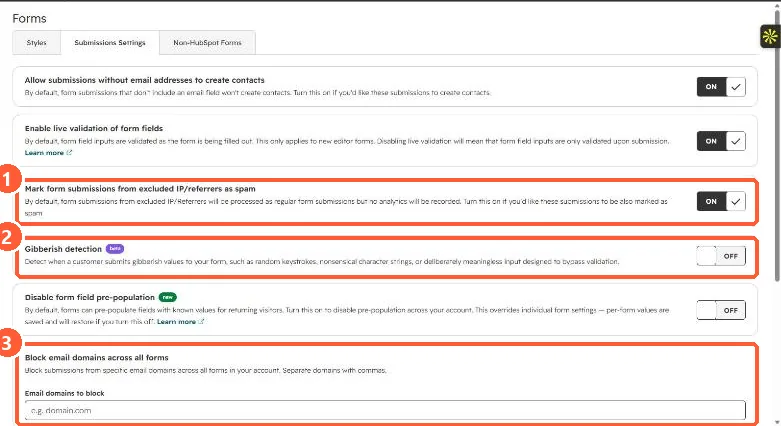
Form submission settings in my demo portal.
Excluded IP spam (1), gibberish detection (2), and blocked domains (3).
2. Real people rejected
If customers use free email, turn the option off for that form.