Quick tipHow toContent HubMarketing Hub

Manage HubSpot blog authors and tags

Authors and tags live under the blog's Configure menu, not in settings.

Subscription
All tiers with a HubSpot blog
Permissions
Blog access
Time
3 min · Beginner
Last verified

Short answer

In Content > Blog, the Configure menu holds Blog listing pages, Tags, Comments and Authors. On the Blog tags page, click Add new tag. In each post, pick authors from the Author dropdown and add tags in the post settings. Tags create tag listing pages, so a short, consistent tag set keeps those pages useful.

1. The Configure menu

In my demo portal, the blog posts list with Configure open.
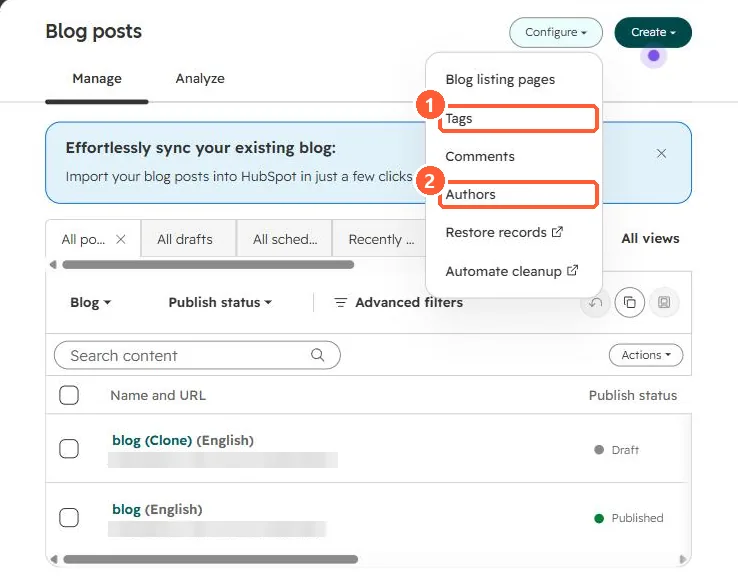
Blog posts list with the Configure menu open showing Blog listing pages, Tags, Comments, Authors, Restore records and Automate cleanup
Tags (1) and Authors (2).

2. Keep tags tidy

  • Merge near-duplicate tags before they spread.
  • Give authors a bio so author pages are not empty.

3. Related

Blog subscription emails.

Sources

New field notes by email

One email when a new article publishes.

Still stuck?

If this did not fix it, the problem is probably specific to your setup. Book a call and we will look at it together.

Book a call with Sam