Quick tipHow toContent Hub

Edit a blog listing template

Some listing pages are drag-and-drop; others need code.

Subscription
Coded: Marketing or Content Hub Professional or Enterprise
Permissions
Design tools
Time
2 min · Advanced
Last verified

Short answer

HubSpot's KB: some listing pages edit in the content editor, others need HTML and HubL. Editing coded templates needs Marketing or Content Hub Professional or Enterprise and Design tools. Click the Blog content module, then Edit listing template.

1. In HubSpot

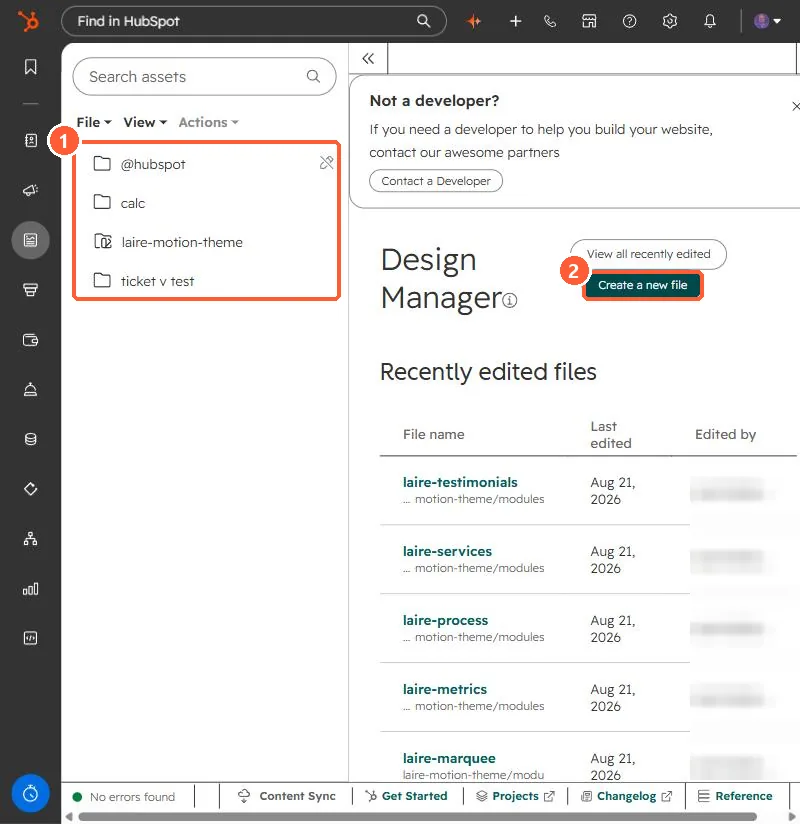
The relevant screen in my demo portal.
Design Manager file tree with theme folders and a Create a new file button
Theme folders (1) and Create a new file (2).

2. Worth knowing

See the developer docs for HubL examples.

3. Related

Design manager modules.

Sources

New field notes by email

One email when a new article publishes.

Still stuck?

If this did not fix it, the problem is probably specific to your setup. Book a call and we will look at it together.

Book a call with Sam