Quick tipHow toSmart CRM

Use Breeze Assistant in Slack

@mention it every time in channels.

Subscription
Check your subscription
Permissions
Slack app connected
Time
2 min · Beginner
Last verified

Short answer

HubSpot's KB: a Slack admin may need to reconnect the app. In channels and threads, Breeze replies only when @mentioned each time. With several HubSpot accounts connected, pick one. It works with standard and custom objects.

1. In HubSpot

The relevant screen in my demo portal.
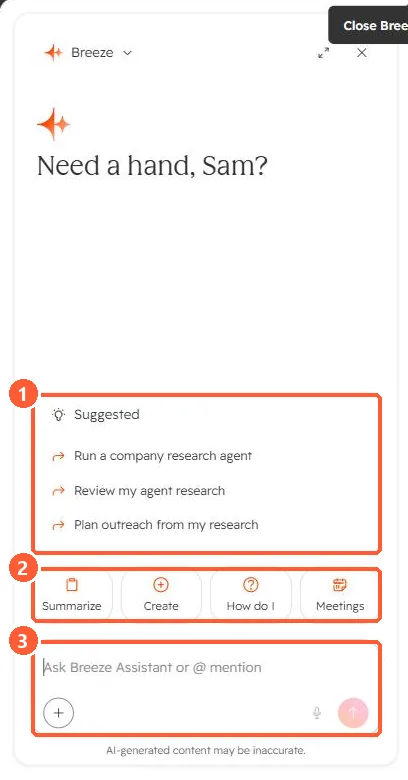
Breeze Assistant panel with suggested prompts, Summarize, Create, How do I and Meetings actions, and a prompt box
Suggestions (1), quick actions (2), and the prompt box (3).

2. Worth knowing

Use the Messages tab for longer back-and-forth.

3. Related

Slack integration and Breeze Assistant.

Sources

New field notes by email

One email when a new article publishes.

Still stuck?

If this did not fix it, the problem is probably specific to your setup. Book a call and we will look at it together.

Book a call with Sam