Quick tipFix itSmart CRM

Not getting HubSpot browser notifications

OS settings and do not disturb matter too.

Subscription
All tiers
Permissions
Any user
Time
2 min · Beginner
Last verified

Short answer

HubSpot's KB: push notifications work on Chrome 32+, Firefox 22+, Safari 6+ and Edge. Make sure app.hubspot.com is allowed, OS notifications are on, and do not disturb is off.

1. In HubSpot

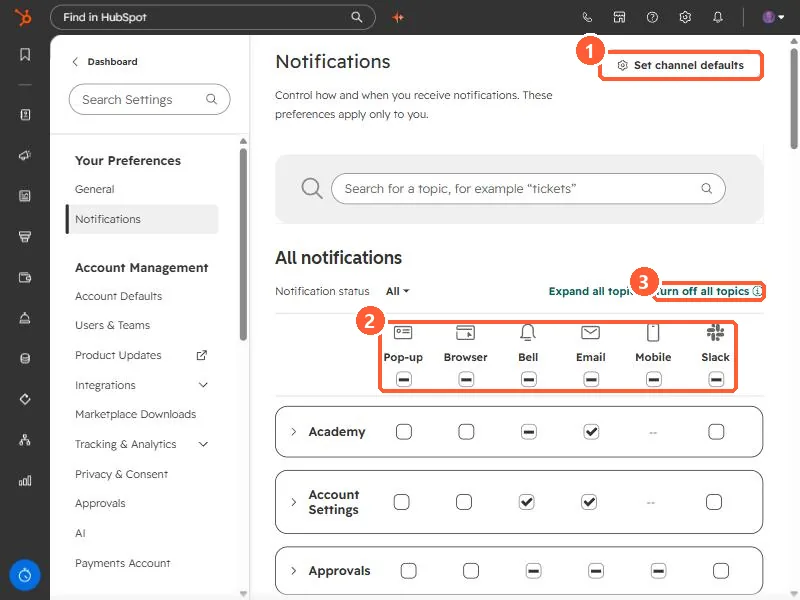
The relevant screen in my demo portal.

Notifications settings with Set channel defaults, the channel columns, and Turn off all topics highlighted
Set channel defaults (1), the channel columns (2), and Turn off all topics (3).
2. Worth knowing

Check notification preferences in HubSpot too.

3. Related

Notification preferences.

Sources

New field notes by email

One email when a new article publishes.

Still stuck?

If this did not fix it, the problem is probably specific to your setup. Book a call and we will look at it together.

Book a call with Sam