Short answer
In Products, Add products, Import loads a sheet into the product library. HubSpot notes that tier-priced products cannot be imported. For a manufacturing client I loaded several hundred unique part numbers from their spreadsheet with the CRM API in batches, then counted the products to confirm. Two cautions: dedupe the sheet first, because HubSpot does not support unique value properties on products, and decide what to do with missing prices before loading. This client's prices were still to be set.
1. Clean the sheet first
- One row per part number. Check for repeats before loading.
- Decide what goes in Name and what goes in SKU.
- Prices: this client's were not set yet. Leave them blank or agree on a placeholder, and document which.
HubSpot's validation article says unique value properties are not supported for products, so HubSpot will not block a second product with the same part number. Dedupe before you load.
2. Import
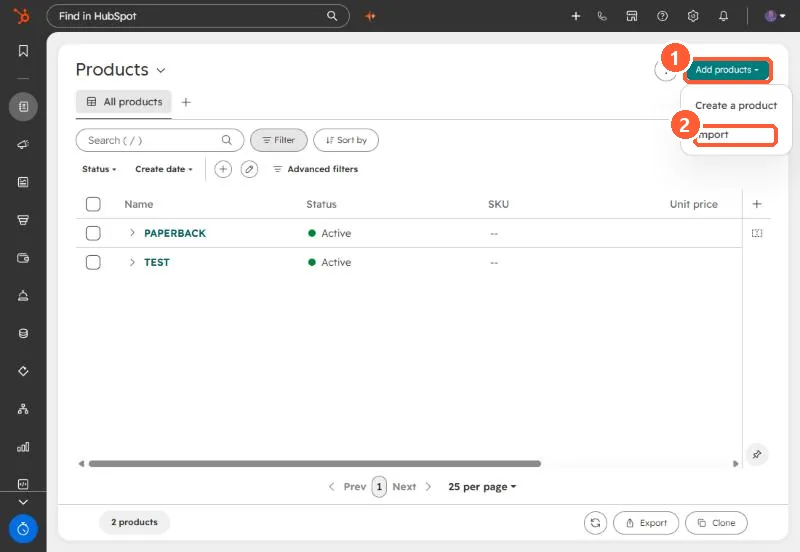
Open the Products index, click Add products, then Import. HubSpot has a sample products file to start from, and tier-priced products cannot be imported.
3. Or the API
For the client I used the CRM products API in batches, since the parts had already been parsed from the email attachment. Either way, finish by counting products in HubSpot against the unique count in the sheet.
For what products are and where they show up, see the products library.