Short answer
The product library is at CRM, Products. Add products offers Create a product or Import. HubSpot says products can be flat rate or tiered, tier priced products cannot be imported, and a product added to a deal, quote, or invoice becomes a line item specific to that record. My demo has two active products. Line items drive the deal amount if your default amount is TCV, ACV, ARR, or MRR.
1. The Products page
Open Products.
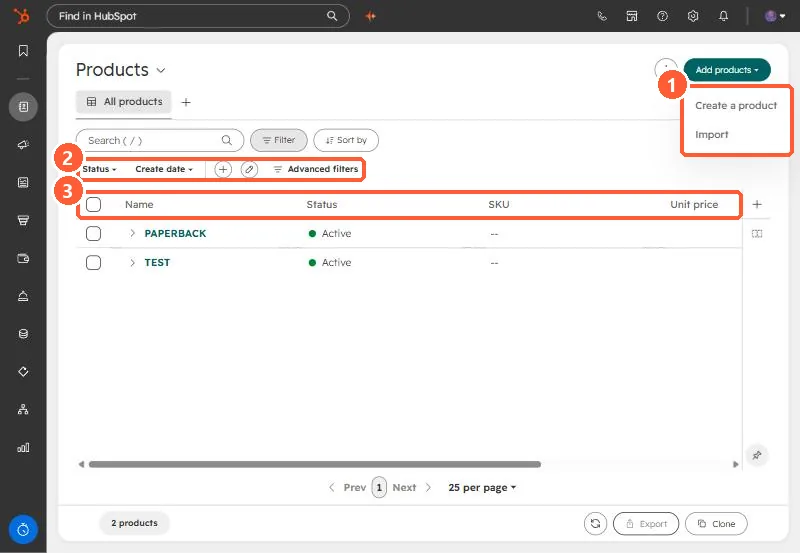
- Add products: Create a product, or Import.
- Quick filters: Status and Create date.
- Columns: Name, Status, SKU, Unit price.
2. From product to line item
- Adding a product to a deal, quote, invoice, or contract creates a line item with its own record ID. Changing the product later does not rewrite past line items.
- Tier priced products need a Revenue Hub seat and cannot be imported.
- HubSpot also supports price books for different pricing, such as partner or regional.
How line items affect the Amount depends on the default deal amount setting.