Quick tipGotchaSmart CRM

Change lifecycle stages in bulk

Backwards moves need a clear first.

Subscription
All tiers; workflows Professional+
Permissions
Edit records
Time
2 min · Intermediate
Last verified

Short answer

HubSpot's KB: use an import, the index page or a workflow. Imports only move stages forward; to go backwards, clear the value first. In workflows, clear the property before setting the earlier stage.

1. In HubSpot

The relevant screen in my demo portal.
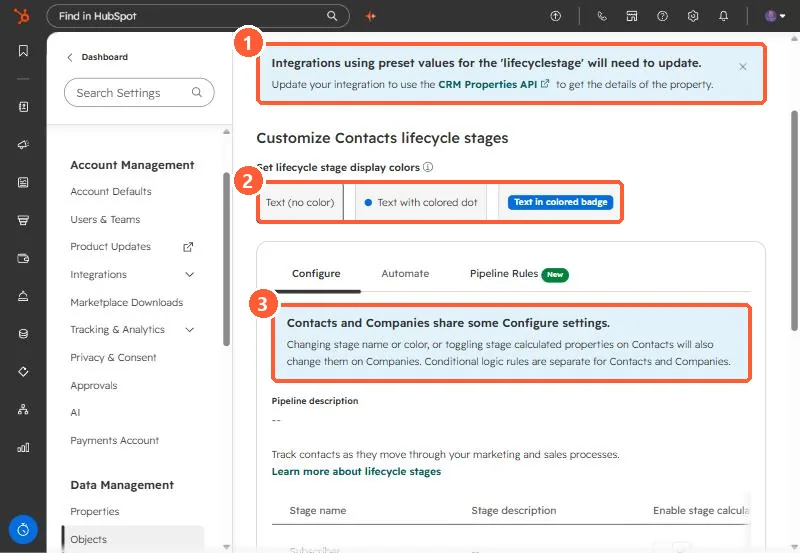
Lifecycle stage settings with the integrations banner, display color options, and the shared settings note highlighted
The integrations banner (1), display colors (2), and the shared settings note (3).

2. Worth knowing

Clearing first is the step people miss when a stage won't move back.

3. Related

Custom lifecycle stages and deal-based automation.

Sources

New field notes by email

One email when a new article publishes.

Still stuck?

If this did not fix it, the problem is probably specific to your setup. Book a call and we will look at it together.

Book a call with Sam