Google Click ID (GCLID) and other click IDs in HubSpot
HubSpot stores the GCLID for you. No hidden field needed.
Subscription
All tiers; ads auto-tracking needs a connected account
Permissions
Ads access
Time
3 min · Intermediate
Last verified
Short answer
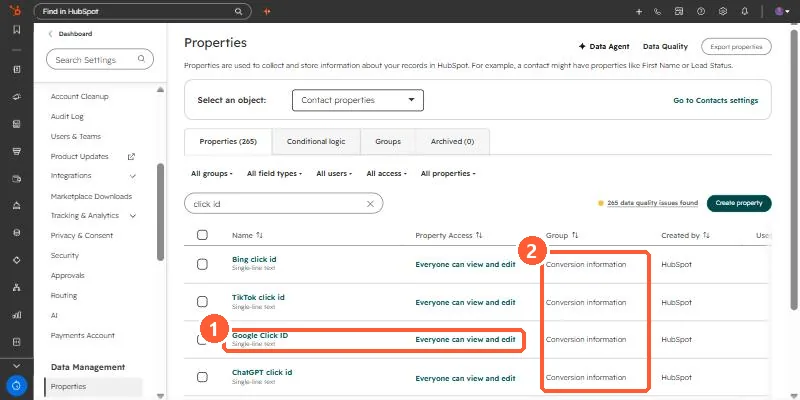
HubSpot's KB: Google ad click ID is set automatically based on the GCLID Google provides. My demo portal also has Bing, TikTok, Facebook, LinkedIn and ChatGPT click ID properties. With auto-tracking, HubSpot applies a tracking template with hsa_ parameters at the campaign level; existing templates must be blank or start with {lpurl}.
1. The properties
Click ID properties in my demo portal.
Google Click ID (1) and the Conversion information group (2).