Quick tipGotchaSmart CRM

Change a property's field type without losing data

Export before you change the type.

Subscription
All tiers
Permissions
Property settings access
Time
3 min · Intermediate
Last verified

Short answer

HubSpot's KB: you can't edit a property's object type or internal name, but you can change its field type. Changing it can invalidate current values, so HubSpot recommends exporting first. It can take up to 30 minutes for the change to apply everywhere.
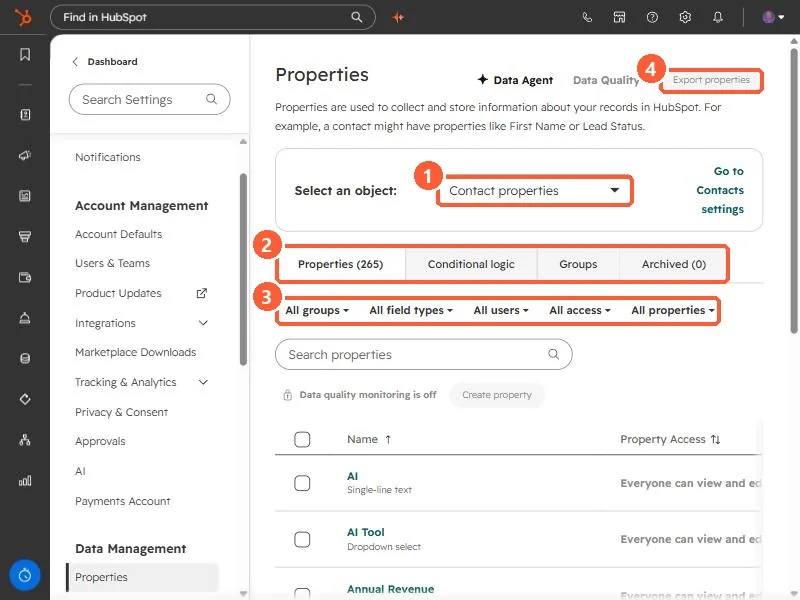
1. Properties

Properties settings in my demo portal.

HubSpot Properties settings page with the object selector, the four tabs, the filter row, and the Export properties button highlighted
Object selector (1), tabs (2), filters (3), and Export properties (4).

2. Choosing a type

See dropdown vs checkboxes.

3. Related

Check property usage.

Sources

New field notes by email

One email when a new article publishes.

Still stuck?

If this did not fix it, the problem is probably specific to your setup. Book a call and we will look at it together.

Book a call with Sam